Kolekti home
Kolekti will be at Team '26! Booth number revealed
Read more
Mosaic for Confluence logo

Your all-in-one Confluence solution

Bring structure, organisation, and consistency to every Confluence page and space. Help teams get more value from the time and effort they already invest.
Explore Mosaic's full toolset - no credit card required.

Great content powers ambitious teams. Mosaic makes it happen.


Mosaic for Confluence helps teams turn Confluence into a real company asset, not just a place where information gets forgotten. As an all-in-one formatting solution, Mosaic gives every team the tools to create and manage pages and spaces with ease.
Take the pain out of everyday page design. Instantly transform pages with Smart Designer – no copy‑pasting, no trial-and-error, and no design learning curve. Set up complete pages for the most popular use cases in minutes with full-page templates. Mix and match Mosaic macros alongside native Confluence elements to get the best of both worlds.
Get more value from the time and effort your teams already put into Confluence, all in a single app.

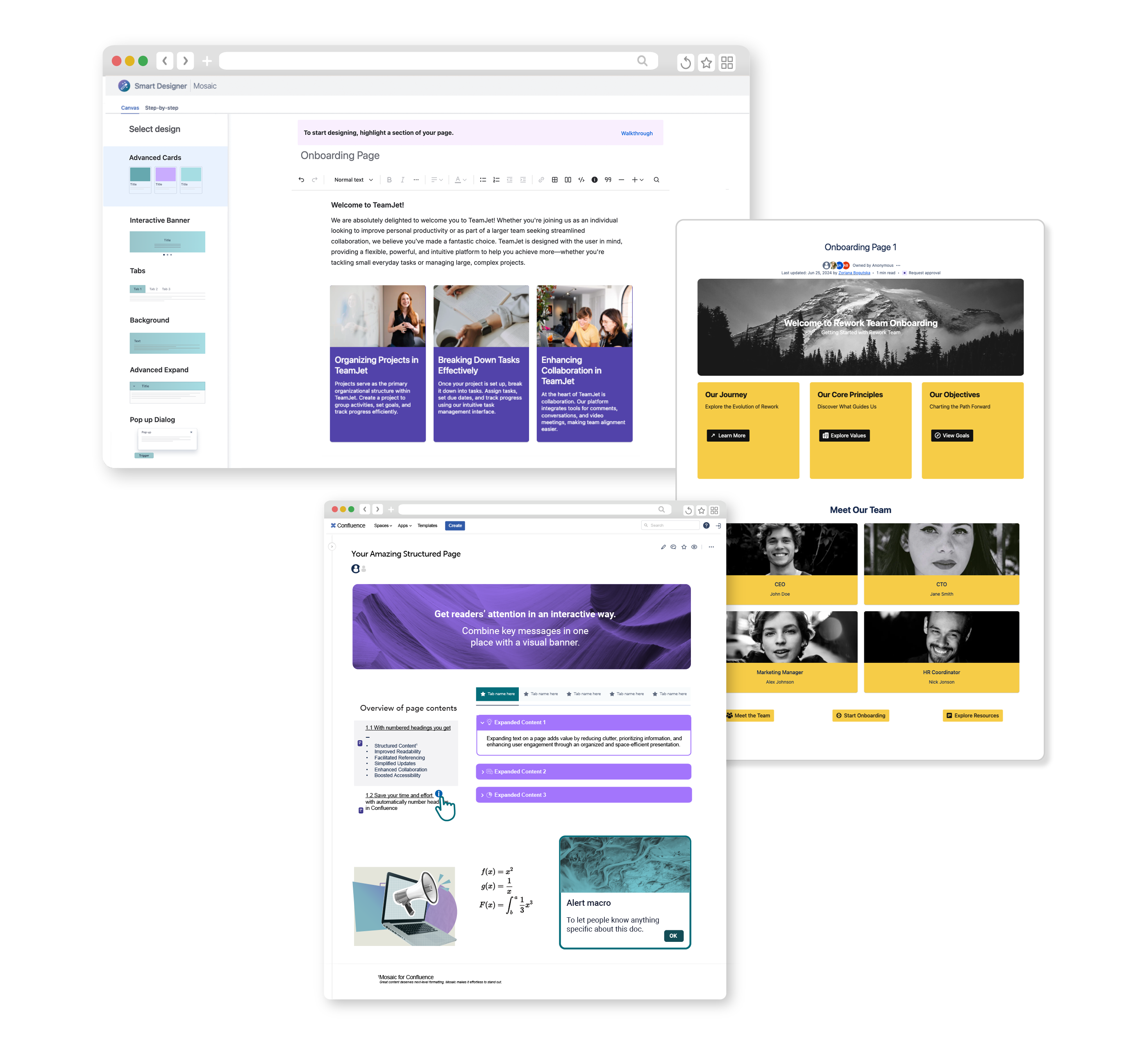
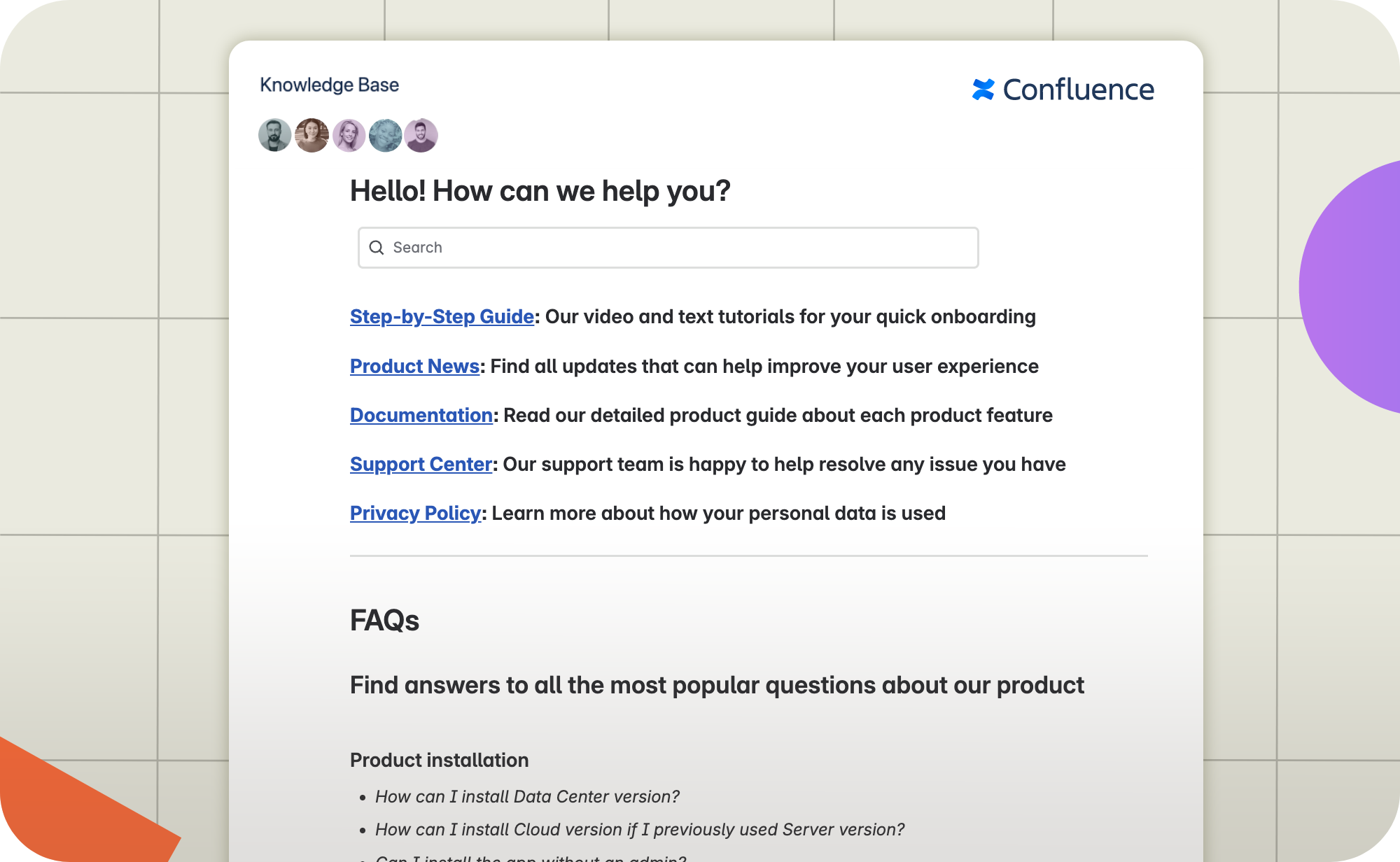
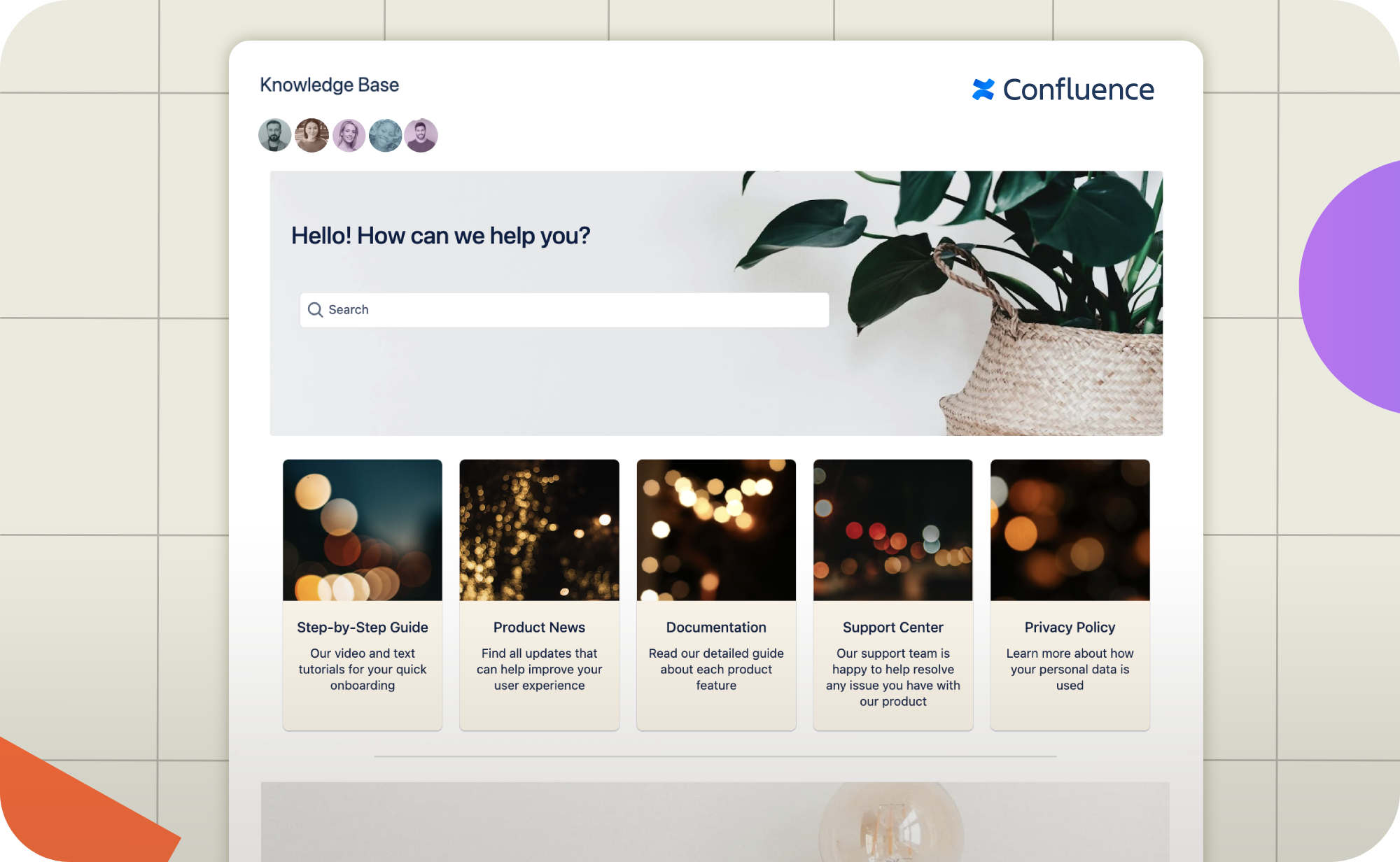
Collage-style image showing three different Confluence pages. One is composed of various Mosaic macros with a purple theme, one is a knowledge base template with a yellow theme, and one shows the Smart Designer interface.

Get more value from your Confluence investment

Icon of a target with an arrow in the bullseye

Bring structure and consistency to pages

Present complex information in an organised, branded way.
A white icon of a trophy inside a purple circle

Everything you need in a single app

Remove complexity and eliminate redundant add-ons.
An icon of a white speedometer inside a purple circle

Quick, easy, and flexible page design

Built for day-to-day formatting, not just showcase pages.
Icon of a white shield with a check mark inside a purple circle

Best in-class support and security

Rely on 24/7 support and ISO27001 certified protection.
ISO 27001 Certified
Atlassian Cloud Fortified
Atlassian Platinum Marketplace Partner

How Mosaic simplifies content creation

Mosaic for Confluence simplifies everyday page design in one handy app, so you can smoothly scale content creation without add-ons and extras.

Save hours on formatting

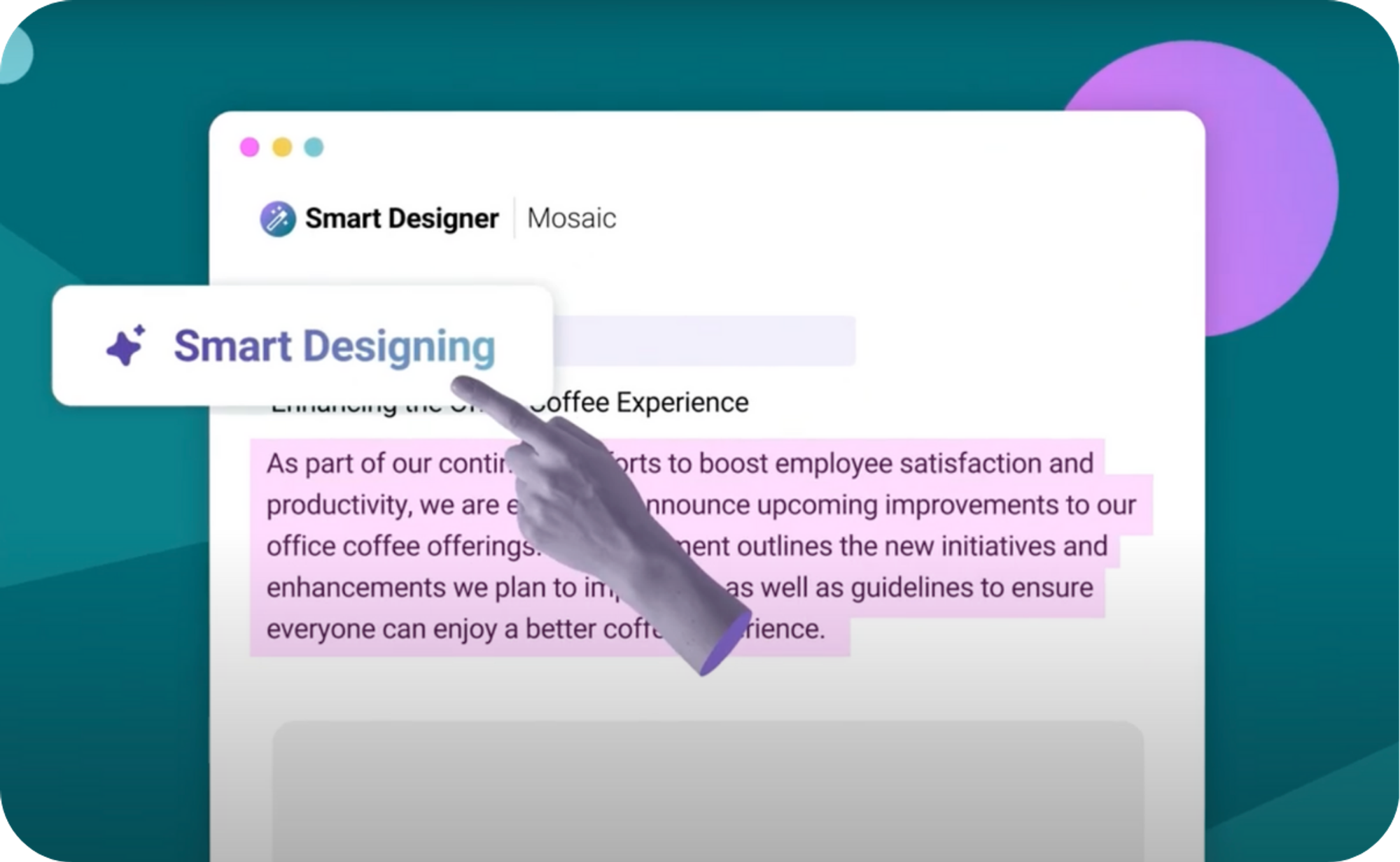
Say goodbye to boring Confluence content with Smart Designer, Mosaic’s page design wizard. No more wondering how to format your pages – just highlight your text, click "Start designing", and watch your content come to life.

Confluence page design has never been simpler.
A Confluence page with highlighted text and a hand pointing to a "Smart Designing" button

Ready-built, professional templates

Confluence pages don't need to be boring - and in most cases, they shouldn't be. Mosaic's built-in templates help you create engaging, branded pages in minutes, with no separate add-ons required.

From knowledge bases and team homepages to Jon Kern’s Agile Framework, Mosaic’s growing template library is here to help you out.
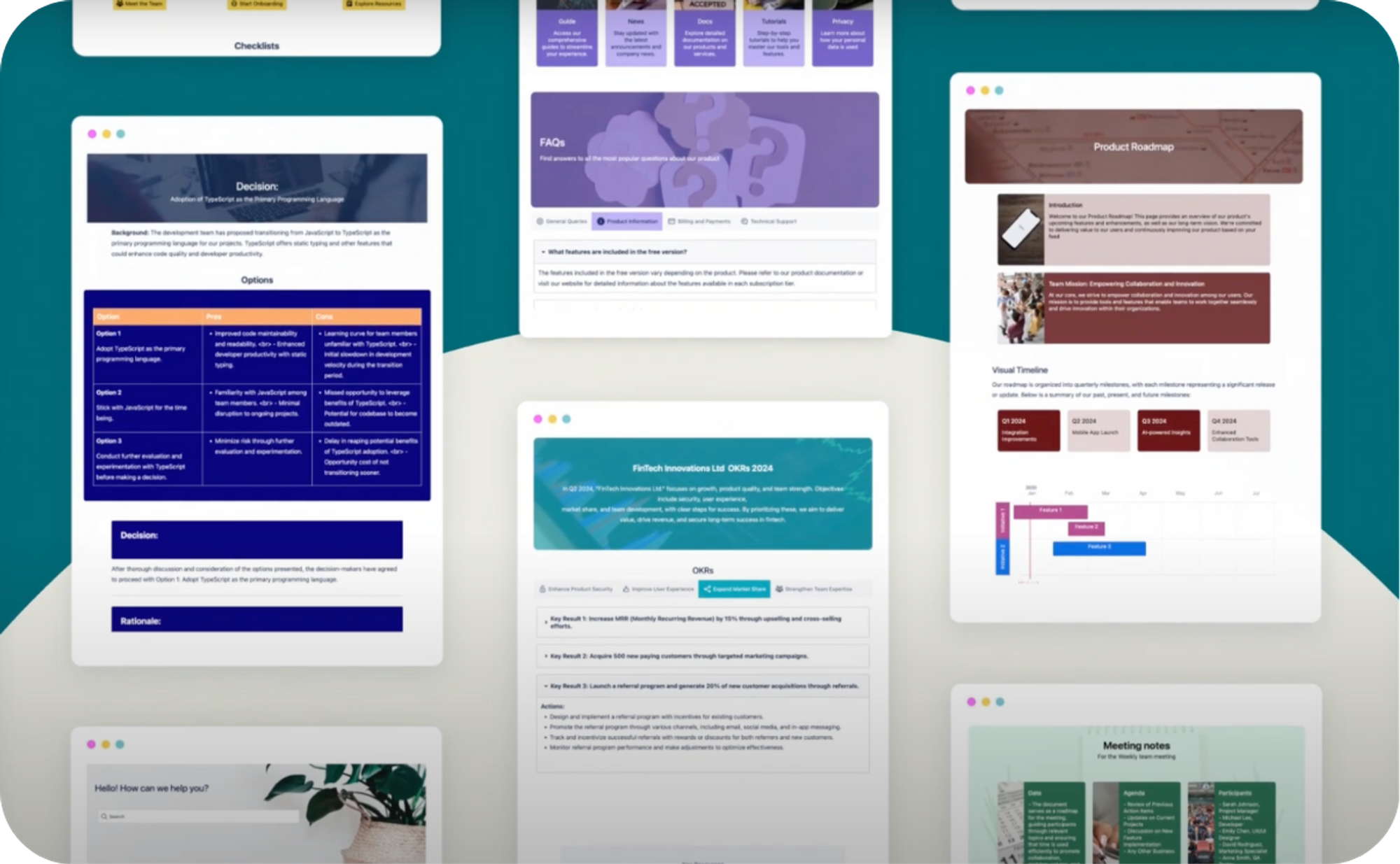
Several Confluence templates displayed in a grid

Macros for every team

Whether you want to improve the look of your content, keep things tidy and organised, or boost user engagement, Mosaic is here to help.

Mosaic includes key macros for technical and non-technical teams, so everyone can enjoy better formatting. Best of all, they integrate with Confluence native elements, letting you continue using the features you already know.
Includes with Mosaic Advanced Edition

Take control of your spaces

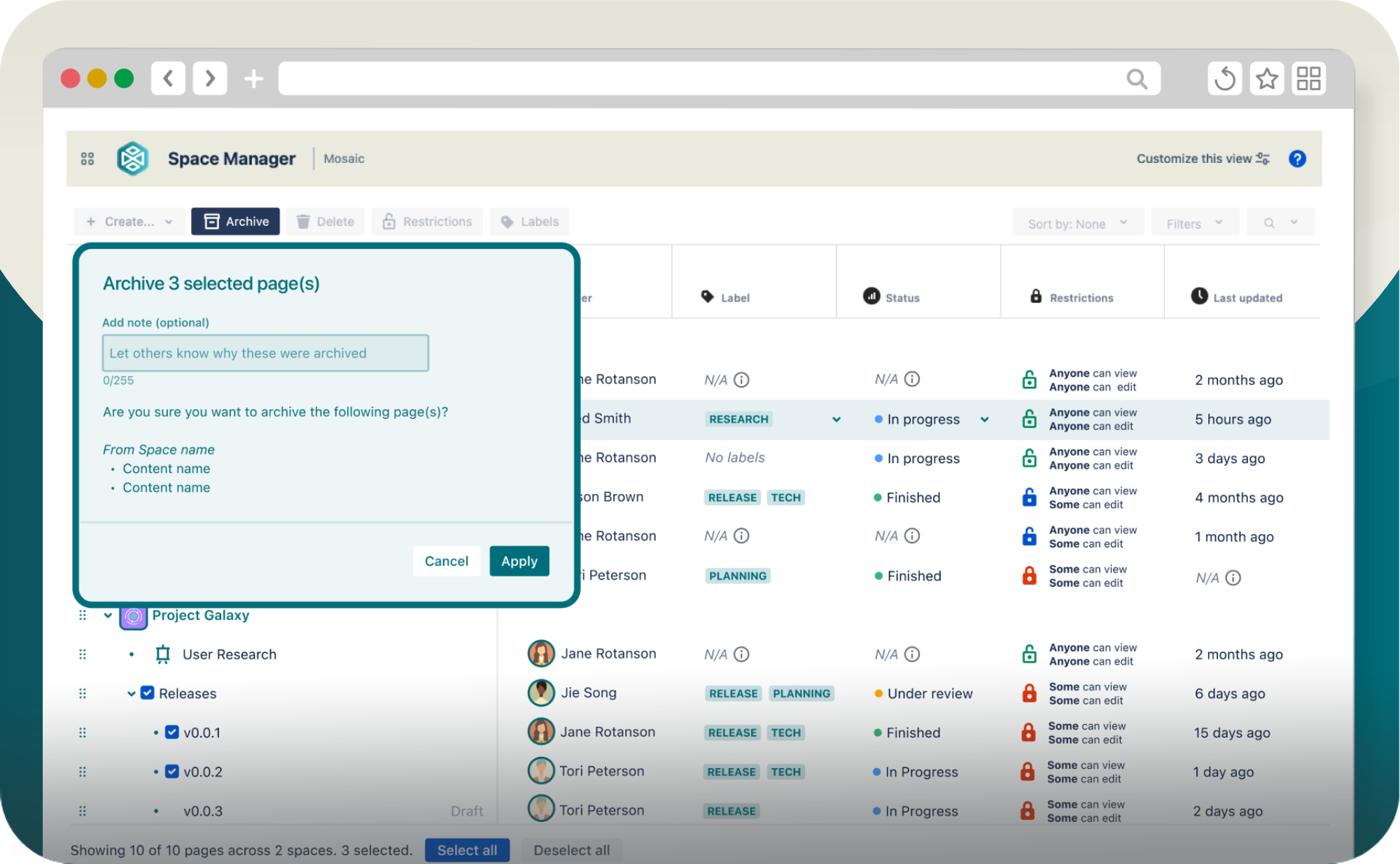
Scale your content management. With Space Manager, you can create, update, and manage multiple spaces and hundreds of pages in bulk – all from one place.
Don't spend hours duplicating pages, setting up new spaces, or archiving outdated content. Space Manager frees you to focus on the work that matters.
Screenshot of Space Manager in Confluence. It shows a list of Confluence pages and their related page details, with a dialog asking the user to confirm the archival of 3 pages.

Discover Mosaic's full range of engaging macros

From Tabs and Numbered Headings to Buttons and Advanced Cards, Mosaic's powerful macros boost the structure, style, and context of your Confluence pages.
We used the pre-installed page templates, which saved us time putting together a consistent monthly report style and for our onboarding pages.
Tobias Zimmerman
Atlassian Marketplace review

Mosaic for Confluence – built on Forge

As one of the first content formatting apps on Forge, Mosaic gives Confluence teams a safer, more reliable app experience – hosted by Atlassian's own infrastructure.
Icon of a white padlock inside a purple circle

Secure content creation

Your data stays safe. Mosaic on Forge meets Atlassian's highest security and compliance standards automatically, so your IT team doesn't have to worry.
A white icon of two people holding a cog inside a purple circle

Reliability you can count on

Forge is hosted and managed by Atlassian, who have countless years of excellence in this space.
Icon of a white rocket in a purple circle

Ready for what's coming

Atlassian is building all its new features – including Rovo and Atlassian Intelligence – on Forge. By running Mosaic on Forge, you get access to those innovations.

Level up Confluence for every team

Tech or non-tech, Mosaic makes formatting and space management feel effortless for everyone.

Enjoy native Atlassian formatting that doesn't break your macros.

Technical teams rely on Atlassian's built-in formatting elements. Unlike many formatting apps, Mosaic offers advanced flexibility with Confluence's native elements, so you can continue to use the macros you rely on.
Mosaic includes a range of macros designed for technical users, including LaTeX, Numbered Headings, HTML, and more, plus full-page templates that streamline your day-to-day work. Mosaic keeps your technical content robust, consistent, and easy to manage.
With Mosaic Advanced Edition, you can update, create, and delete Confluence pages at scale, making it easy to maintain complex and growing documentation.
A stylised Confluence page comprised of different puzzle pieces

Templates and macros built for how you actually work.

For non-technical teams, Confluence can feel both overwhelming and restrictive. Mosaic changes that with intuitive templates and macros designed for real-world business processes – onboarding, knowledge bases, team pages, and much more. Mosaic is designed for collaboration and everyday page creation, making it easy to capture, share, and update information as your needs evolve.
Not every page needs to feel like a design project. With Smart Designer, you can turn text into engaging content in seconds, saving time for work that matters.
With Mosaic Advanced Edition, set Brand Kits to use across your visual macros. Easily add your branding without hunting for the right hex code or image, or apply it all instantly in Smart Designer.
Stylised Confluence page with text and image elements. A paintbrush is dripping on the page.

Your team shouldn't need a designer to use Confluence well.

As a team lead, you want your team to focus on delivering results, not wrestling with page layouts or learning new tools. Mosaic empowers every team member – regardless of technical skill – to create clear, engaging, and on-brand content in Confluence.
With Smart Designer and ready-to-use templates, anyone can build professional pages in minutes, ensuring your team’s knowledge is always accessible and impactful. All of this comes in just one app, meaning no chasing admins to install extra add-ons.
Stylised picture of an archery target with three arrows in the bullseye

Consolidate your app stack without losing capability.

Don’t bloat your Confluence instance with unnecessary apps. Mosaic lets you replace a patchwork of Confluence formatting tools with one powerful, all-in-one solution. Enjoy advanced formatting macros, full-page templates, and unrivalled support from an Atlassian Platinum Partner. Mosaic reduces risk, lowers overhead, and makes it easier to manage updates and support, keeping your Confluence secure and future-proof.
An open toolbox with icons representing different functions emerging from the top

Stop managing multiple apps to do one job.

As a Confluence admin, you know the pain of juggling multiple add-ons just to cover page formatting. Mosaic removes this complexity by combining all essential tools into a single solution. No more compatibility headaches or money wasted on redundant apps. Mosaic helps you streamline your admin workload, reduce costs, and ensure your users have a consistent, reliable experience.

Mosaic Advanced Edition includes bulk content management, custom Brand Kits, and data egress controls, making your investment go even further.
Stylised Confluence page beside a lightbulb that contains a brain
Technical teams rely on Atlassian's built-in formatting elements. Unlike many formatting apps, Mosaic offers advanced flexibility with Confluence's native elements, so you can continue to use the macros you rely on.
Mosaic includes a range of macros designed for technical users, including LaTeX, Numbered Headings, HTML, and more, plus full-page templates that streamline your day-to-day work. Mosaic keeps your technical content robust, consistent, and easy to manage.
With Mosaic Advanced Edition, you can update, create, and delete Confluence pages at scale, making it easy to maintain complex and growing documentation.
For non-technical teams, Confluence can feel both overwhelming and restrictive. Mosaic changes that with intuitive templates and macros designed for real-world business processes – onboarding, knowledge bases, team pages, and much more. Mosaic is designed for collaboration and everyday page creation, making it easy to capture, share, and update information as your needs evolve.
Not every page needs to feel like a design project. With Smart Designer, you can turn text into engaging content in seconds, saving time for work that matters.
With Mosaic Advanced Edition, set Brand Kits to use across your visual macros. Easily add your branding without hunting for the right hex code or image, or apply it all instantly in Smart Designer.
As a team lead, you want your team to focus on delivering results, not wrestling with page layouts or learning new tools. Mosaic empowers every team member – regardless of technical skill – to create clear, engaging, and on-brand content in Confluence.
With Smart Designer and ready-to-use templates, anyone can build professional pages in minutes, ensuring your team’s knowledge is always accessible and impactful. All of this comes in just one app, meaning no chasing admins to install extra add-ons.
Don’t bloat your Confluence instance with unnecessary apps. Mosaic lets you replace a patchwork of Confluence formatting tools with one powerful, all-in-one solution. Enjoy advanced formatting macros, full-page templates, and unrivalled support from an Atlassian Platinum Partner. Mosaic reduces risk, lowers overhead, and makes it easier to manage updates and support, keeping your Confluence secure and future-proof.
As a Confluence admin, you know the pain of juggling multiple add-ons just to cover page formatting. Mosaic removes this complexity by combining all essential tools into a single solution. No more compatibility headaches or money wasted on redundant apps. Mosaic helps you streamline your admin workload, reduce costs, and ensure your users have a consistent, reliable experience.

Mosaic Advanced Edition includes bulk content management, custom Brand Kits, and data egress controls, making your investment go even further.
A stylised Confluence page comprised of different puzzle pieces
Stylised Confluence page with text and image elements. A paintbrush is dripping on the page.
Stylised picture of an archery target with three arrows in the bullseye
An open toolbox with icons representing different functions emerging from the top
Stylised Confluence page beside a lightbulb that contains a brain
Technical teams rely on Atlassian's built-in formatting elements. Unlike many formatting apps, Mosaic offers advanced flexibility with Confluence's native elements, so you can continue to use the macros you rely on.
Mosaic includes a range of macros designed for technical users, including LaTeX, Numbered Headings, HTML, and more, plus full-page templates that streamline your day-to-day work. Mosaic keeps your technical content robust, consistent, and easy to manage.
With Mosaic Advanced Edition, you can update, create, and delete Confluence pages at scale, making it easy to maintain complex and growing documentation.
A stylised Confluence page comprised of different puzzle pieces
For non-technical teams, Confluence can feel both overwhelming and restrictive. Mosaic changes that with intuitive templates and macros designed for real-world business processes – onboarding, knowledge bases, team pages, and much more. Mosaic is designed for collaboration and everyday page creation, making it easy to capture, share, and update information as your needs evolve.
Not every page needs to feel like a design project. With Smart Designer, you can turn text into engaging content in seconds, saving time for work that matters.
With Mosaic Advanced Edition, set Brand Kits to use across your visual macros. Easily add your branding without hunting for the right hex code or image, or apply it all instantly in Smart Designer.
Stylised Confluence page with text and image elements. A paintbrush is dripping on the page.
As a team lead, you want your team to focus on delivering results, not wrestling with page layouts or learning new tools. Mosaic empowers every team member – regardless of technical skill – to create clear, engaging, and on-brand content in Confluence.
With Smart Designer and ready-to-use templates, anyone can build professional pages in minutes, ensuring your team’s knowledge is always accessible and impactful. All of this comes in just one app, meaning no chasing admins to install extra add-ons.
Stylised picture of an archery target with three arrows in the bullseye
Don’t bloat your Confluence instance with unnecessary apps. Mosaic lets you replace a patchwork of Confluence formatting tools with one powerful, all-in-one solution. Enjoy advanced formatting macros, full-page templates, and unrivalled support from an Atlassian Platinum Partner. Mosaic reduces risk, lowers overhead, and makes it easier to manage updates and support, keeping your Confluence secure and future-proof.
An open toolbox with icons representing different functions emerging from the top
As a Confluence admin, you know the pain of juggling multiple add-ons just to cover page formatting. Mosaic removes this complexity by combining all essential tools into a single solution. No more compatibility headaches or money wasted on redundant apps. Mosaic helps you streamline your admin workload, reduce costs, and ensure your users have a consistent, reliable experience.

Mosaic Advanced Edition includes bulk content management, custom Brand Kits, and data egress controls, making your investment go even further.
Stylised Confluence page beside a lightbulb that contains a brain
Easy to use and upgraded my page with little effort
Lars Vestergaard
Atlassian Marketplace review
Icon of a target with an arrow in the bullseye

Create the Confluence pages your team deserves

Discover macros, templates, and intuitive design at your fingertips.

Which Edition is right for you?

Whether you want standard customisation or full content control, we have you covered.
Standard
Ideal for small businesses with simpler content formatting needs
Features
15+ macros for adding context, structure, and design flair
Smart Designer: page design wizard
Built-in templates library
Secure HTML & CSS formatting
Learn more
Advanced
The best choice for customisation, efficiency, and precision
Features
15+ macros for adding context, structure, and design flair
Smart Designer: with AI admin control
Secure HTML, CSS & JavaScript formatting
Space Manager: complete space management hub
Built-in templates library
Brand kit integration
Data egress controls
Premium SLA times and 24/7 support
Learn more

Got any questions?

Mosaic (formerly Content Formatting Macros) is the all-in-one solution that brings structure, organisation, and consistency to every Confluence page and space. It comes with everything you need to improve page structure, add extra context, and improve page design.
Mosaic for Confluence Standard Edition includes:
  • A toolkit of key formatting macros, including Numbered Headings, Tabs, Buttons, Advanced Expand, LaTeX, and more.
  • A fully secure, sanitised HTML macro for securely creating custom page content with HTML and CSS.
  • Visually engaging full-page templates for the most popular use cases, including Jon Kern’s Agile Framework.
  • Smart Designer, Mosaic’s built-in page design tool that lets you transform text into fully formatted pages in just a few clicks.

With Mosaic Advanced Edition, you get all of that, but also get:
  • Space Manager, a hub which lets you scale content creation management. Create, update, delete, and archive hundreds of pages across Confluence spaces from one place.
  • The ability to create Brand Kits for your brands that can be easily applied to your visual macros.
  • Data egress controls that let you tailor Mosaic to your security needs.
  • Additional JavaScript support for the HTML macro.
  • Priority support over Mosaic Standard Edition customers.
Mosaic is designed for teams that live in Confluence daily, across any industry.
  • If you’re looking for a formatting tool that feels effortless and works with Confluence’s native elements, and you don’t want to dedicate hours to page design, Mosaic is for you.
  • If you need one app that works for everyone, from developers writing technical docs to HR teams building onboarding pages, Mosaic is for you.
  • If you want an easier way to scale your content management and creation, Mosaic is for you.
Mosaic doesn't store any data.
Extra information for Cloud users: The app is completely hosted on your Confluence instance. Your data doesn't leave your instance, and we have no access to any content you place within any of our macros.
For more information on what information we do or don't collect, see Data and Analytics.
In most cases, supported macros will closely resemble your Server/DC pages, with some expected differences due to how Cloud works.
Visit the Mosaic Migration Hub to understand what to expect and how to prepare your instance for Confluence Cloud.
Mosaic for Confluence Cloud already includes some of the most popular Confluence Server macros, and we plan to develop many more.
Unfortunately, current limitations in the Confluence Cloud editor mean it can't support everything.

The good news is we're working hard to develop exciting new macros exclusive to Confluence Cloud.
If there's a macro you want to see supported in Cloud, or if you have an idea for a completely new one, we want to hear from you! Please send over your suggestions to our customer support portal.
A headshot of Customer Success Manager Abi Brown

Get started with Mosaic


I’m Abi, Kolekti’s Customer Success Manager.
Ready to get more from Confluence? Click the link below to start your 30-day free trial.
If you’d like to learn more about what Mosaic can do for your team, schedule a call with me at a time that works for you.

Related articles

An air control tower beside two aeroplanes in the air

Meet Space Manager: take control of your Confluence content

Ready to scale content creation and organise pages with ease? Learn more about Space Manager, Mosaic Advanced's newest addition.
Read more
A stylised Confluence page behind stacked building blocks and a JavaScript icon

How to build dynamic and interactive content in Confluence

Want to build more engaging Confluence pages? Learn how with native Confluence features and Mosaic for Confluence's HTML macro.
Read more
A stylised Confluence page sat behind a JavaScript symbol and a padlock

Why doesn't Confluence Cloud have a native HTML macro?

Explore why HTML isn't built into Confluence Cloud, and how you can still add scripts and markup securely to your Confluence pages.
Read more
A 3D office with Confluence templates on each side of the building

Building a System of Work with Confluence templates

Combining customised templates can transform your incoherent Confluence content into a unified, repeatable System of Work.
Read more
A browser window showing a Confluence page formatted with images, buttons, and brightly-coloured sections. An icon symbolising code sits to the top-right of the browser window.

Say hello to Mosaic's HTML macro for Confluence Cloud

Whether you're cloud-native or migrating, our latest macro will help you safely and securely make the most of your Confluence pages.
Read more
A plane flying upwards past three Confluence pages

8 Confluence templates that will launch your new team for you

Simplify the launch of your new team with these eight templates for Confluence that will save you time and enhance collaboration.
Read more

Looking for another hosting solution?

Icon of a white cloud in a teal circle

Atlassian Government Cloud

FedRAMP-compliant with unrivalled security.
Mosaic for AGC
An icon of white stacked servers in a teal circle

Data Center

For customers with Confluence on-prem.
Mosaic for DC
Icon of a white padlock inside a teal circle

Atlassian Isolated Cloud

For large enterprises in regulated industries.
Coming soon