
Meet Space Manager: take control of your Confluence content
Share on socials
Meet Space Manager: take control of your Confluence content


Jump to Section
Jump to section
What is Space Manager?
How Space Manager helps:
- See everything in one place
- Bulk management made easy
- Quickly scale content creation
- Empower all technical levels
Get Space Manager with Mosaic Advanced
Ready to scale content creation and organise pages with ease? Learn more about Space Manager, Mosaic Advanced's newest addition.
Put your hand up if you've experienced any of these in your organisation:
- Your Confluence spaces are cluttered, disorganised, and impossible to maintain
- You've had to build content-heavy spaces from scratch, one painful page at a time
- Your technical teams are swamped with clean-up requests
- Less tech-savvy team members are struggling to find an easy way to manage their content
🙋🏻 We've been there too. But that's about to change…
Until now, our mission for Mosaic for Confluence has been to make pages cleaner, easier to follow, and more engaging. Now, we want to help you do the same for your spaces.
We're thrilled to introduce Space Manager, your all-in-one Confluence content management tool. Space Manager is available now as part of Mosaic Advanced Edition.
What is Space Manager?
Space Manager helps you stay on top of your content in a single central dashboard. It's easy to view, create, move, organise, and edit content in bulk and across spaces, dramatically reducing the time and effort dedicated to clean-up tasks.
Space Manager's no-code interface makes content management accessible to everyone, even your less technical team members.
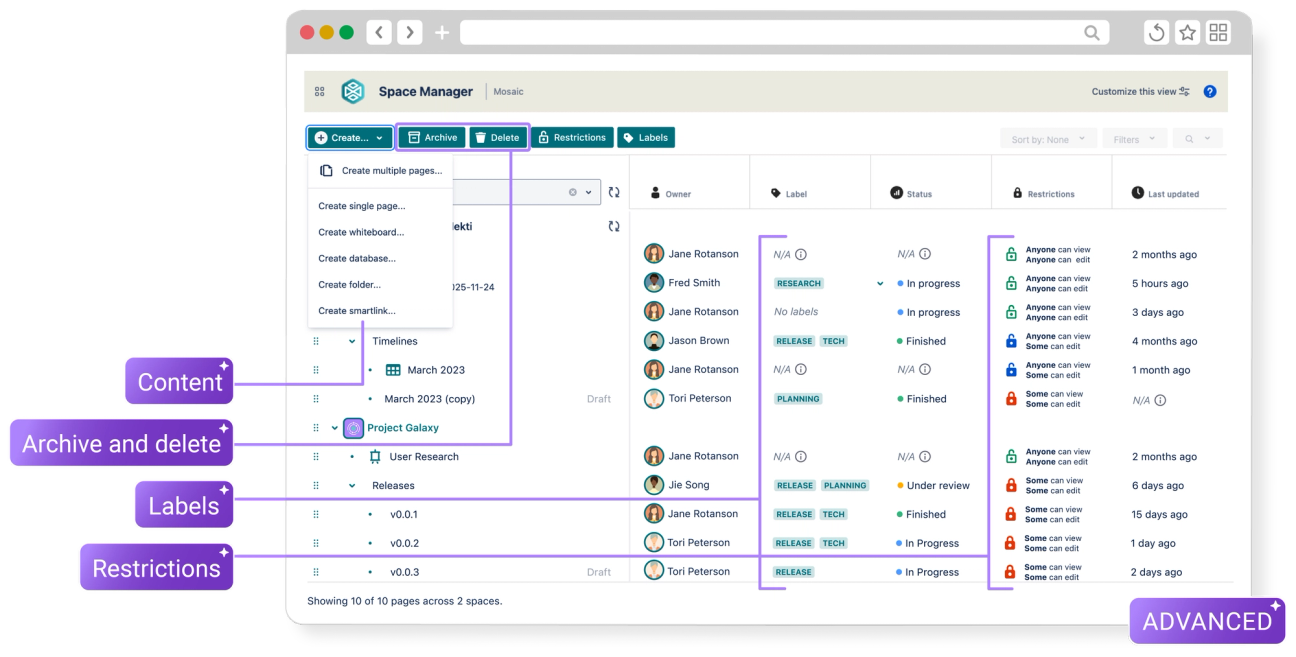
To experience Space Manager for yourself, you can try Mosaic Advanced Edition completely free for 30 days.
How Space Manager can help you:
🔭 Get a holistic view of your spaces in one place
See what's happening under the hood with Space Manager's control centre. Here, you get an at-a-glance view of your spaces and their content, with fields such as Owner, Status, and Last updated at your fingertips.
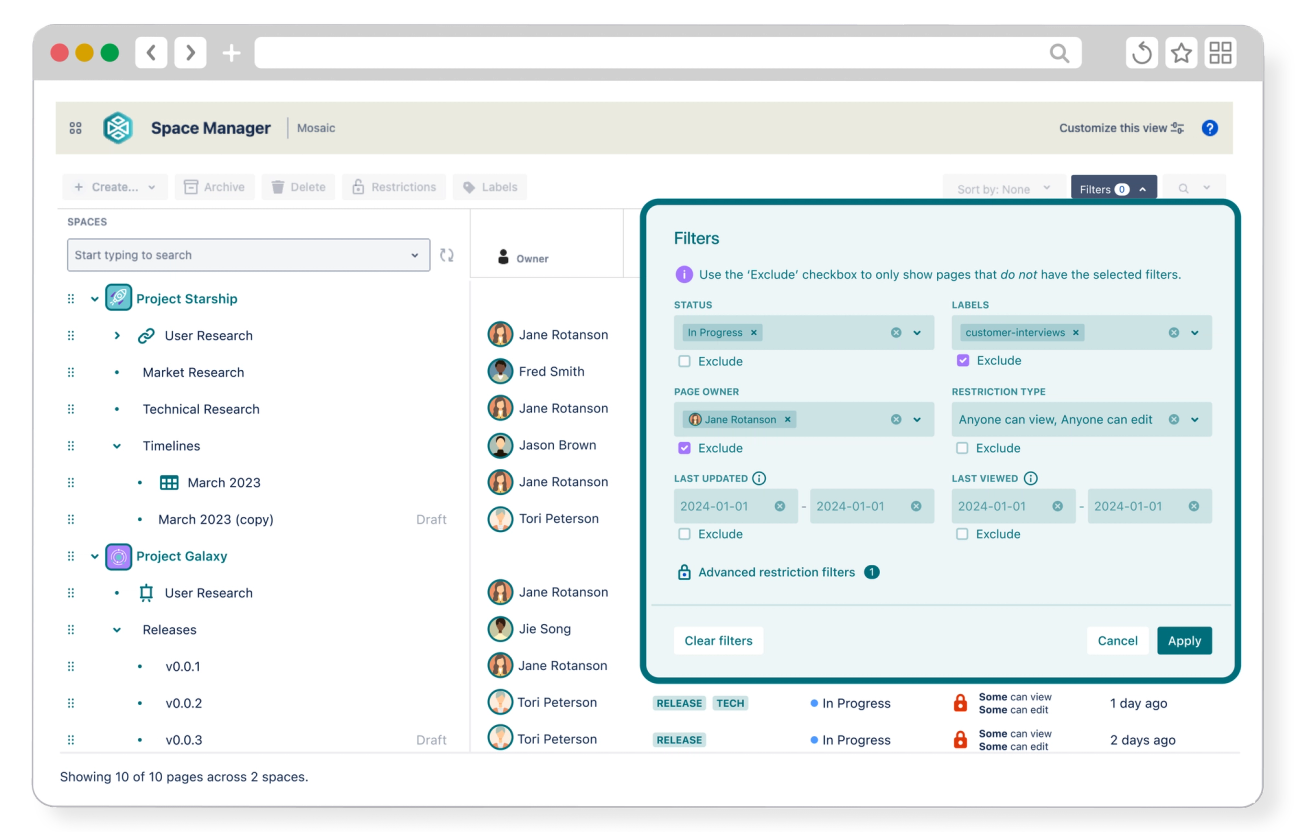
Filter and sort your content to view only the most relevant pages. With everything you need in one place, tedious tidying tasks become quick and simple.
🔧 Bulk manage content across your spaces
With Space Manager, it's easy to edit, copy, move, and remove content in your spaces.
Update page names, labels, statuses, restrictions, and much more in one central dashboard. Archive or delete your outdated content with just a few clicks.
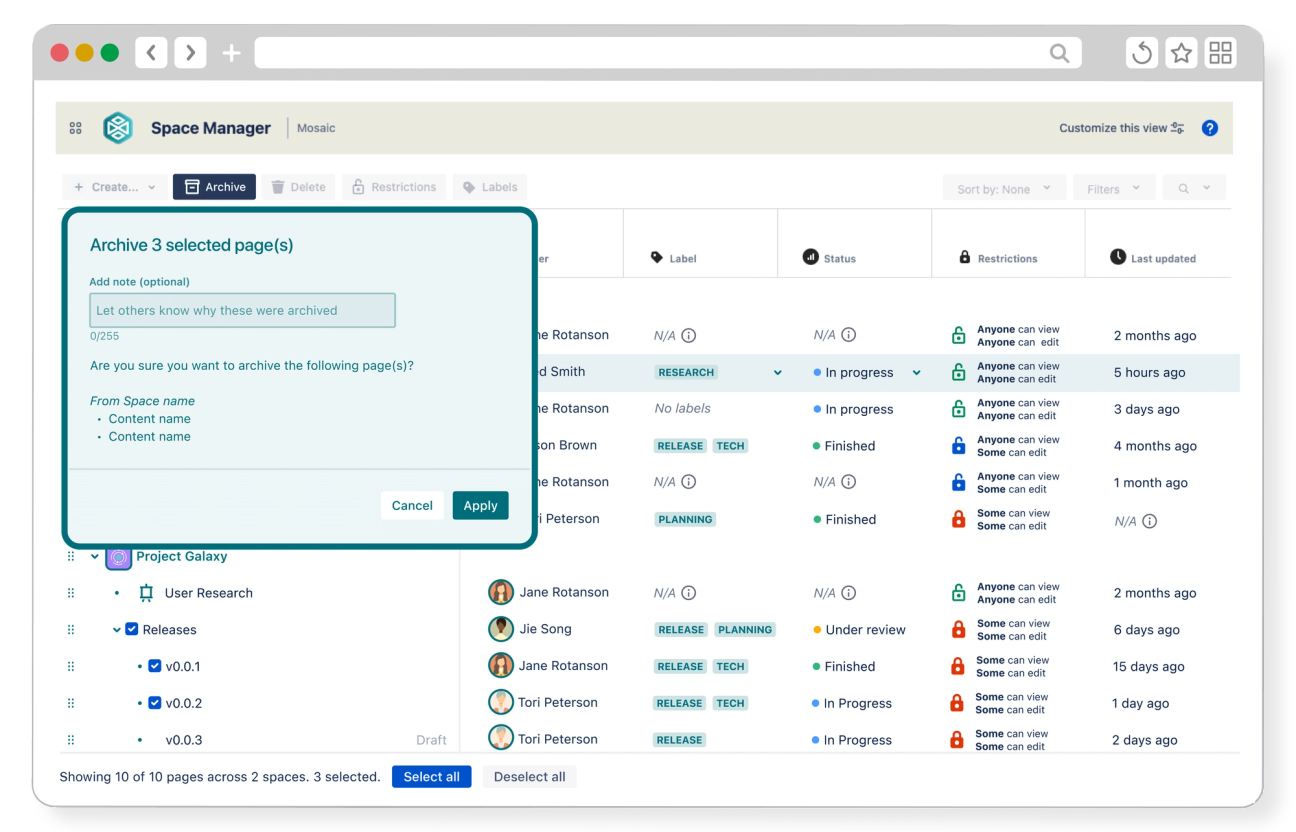
You can manage pages across multiple spaces simultaneously, making it ideal for routine maintenance or post-migration cleanup.
Space Manager lets you edit, archive, and delete up to 200 pieces of content at once: that's double what you can do with Confluence's built-in content manager.
🚀 Create space-ready content in minutes, not hours
Whether you want to build pages, whiteboards, databases, smart links, or folders, Space Manager lets you do it all in just a few steps.
Need to add multiple pieces of content to a space? Don't waste time building them one by one. Get set up in an instant with page tree presets such as HR Space and Brand Resources, or create a custom multi-page setup in minutes.
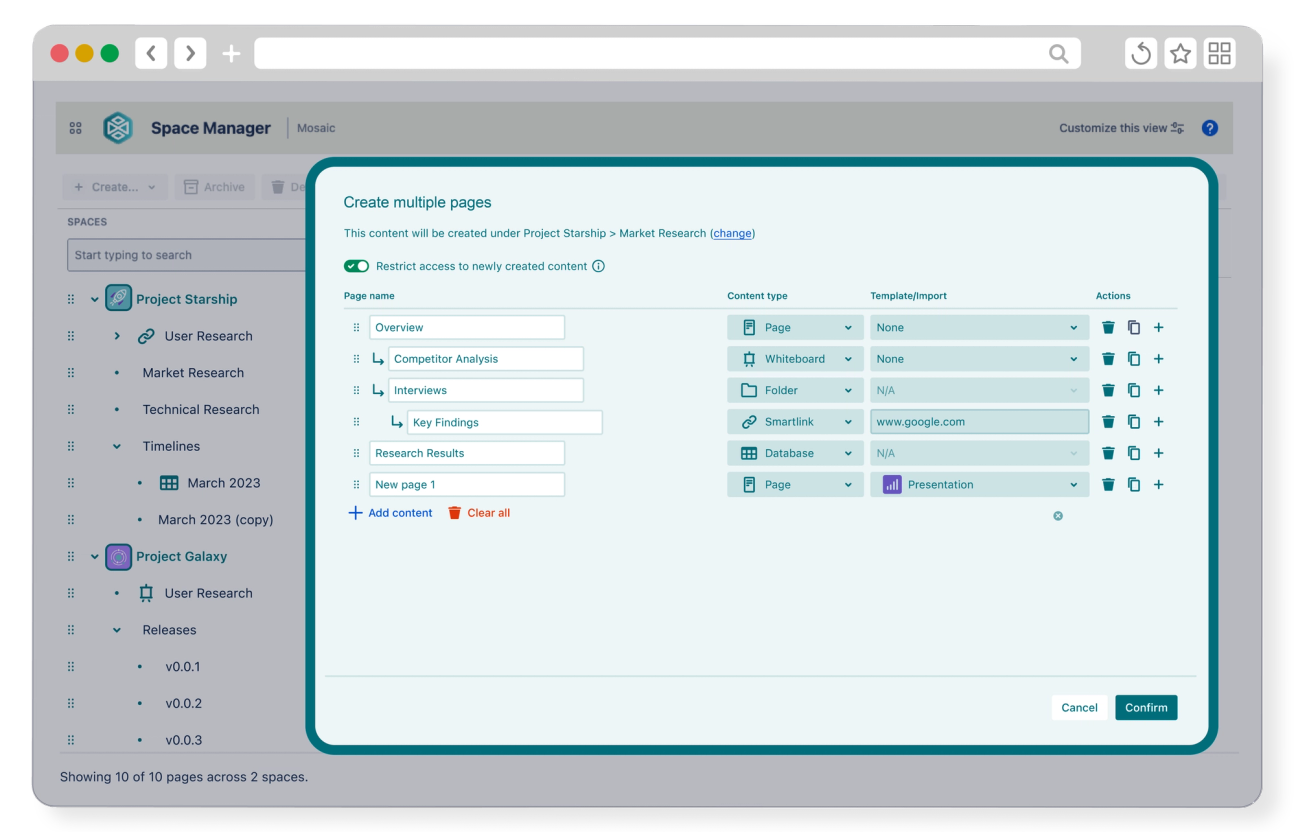
Choose content types, add page names, and rearrange the page hierarchy. Quickly populate a page with content by assigning a template. Then click “Confirm," and Space Manager will build it all for you. It's that simple.
🪐 Supercharge space management for all technical levels
Whether you're a technical optimiser or a non-technical manager, there's no need to spend time mastering a steep learning curve.
Space Manager's simple yet powerful interface means all users can manage their spaces effectively, smoothly, and intuitively.
Ready to get your Confluence spaces under control?
With Space Manager, you don't have to spend hours duplicating pages, setting up new spaces, or archiving outdated content, freeing you to focus on the work that matters.
And you don't need an extra app to create or maintain your content – get it as part of Mosaic Advanced Edition, alongside a full suite of engaging macros, full-page templates, our built-in page design wizard, Smart Designer, and much more.
Want to know if Advanced is for you? Chat to us!
Get Space Manager with Mosaic Advanced
Related Content
Read more

Written by
Related Content
Read more