
Say hello to Mosaic's HTML macro for Confluence Cloud
Share on socials
Say hello to Mosaic's HTML macro for Confluence Cloud

LEARN MORE ABOUT THE MACRO:
LEARN MORE ABOUT THE MACRO:
Cloud-first security
Why it's a game-changer
Design use cases
Get the HTML macro with Mosaic
Whether you're cloud-native or migrating, our latest macro will help you safely and securely make the most of your Confluence pages.
The HTML macro has been one of the most requested formatting options in Confluence. But Atlassian has no plan to bring it to Cloud, and it’s for a good reason: raw HTML can contain unsafe tags, hidden scripts, or unpredictable behaviour that poses security risks.
This means if you rely on HTML/CSS for advanced structure or styling, especially for those migrating from Data Center, the only option is to install a third-party app. And not all HTML macros meet the security requirements for Cloud. With that in mind, we've designed a more secure alternative to the legacy HTML macro.
Introducing Mosaic’s HTML macro, a secure way to use HTML and CSS in Confluence Cloud. It's perfect for:
- Cloud-native teams: unlock formatting they’ve never had
- Migrating teams: restore workflows they don't want to lose
The HTML macro is available to all Mosaic users:
The Cloud-first approach
As part of Mosaic's Cloud suite, the HTML macro upholds the highest security standards:
- No scripts and no compromise on security (thanks to Forge-hosted infrastructure)
- Zero-JavaScript architecture with automatic sanitisation that removes unsafe elements and keeps pages secure
Why Mosaic’s HTML macro is a game-changer for teams
| Who it's for | How it helps |
|---|---|
| Developers | Structure API docs, code references, or release logs the way you want, using the code editor you already know. |
| Data analysts | Style tables, summaries, or information blocks for better readability. |
| Technical writers or knowledge managers | Add creative components to highlight key sections and create clearer learning materials that go beyond static content. |
Without having to individually pick out and customise macros, using HTML/CSS, you can flexibly structure content the way you imagine it. That way, you can communicate complex information more clearly, faster, and more accurately.
The HTML macro isn’t just for aesthetics. Having the recognisable coding environment baked inside the Confluence editor helps technical contributors work more efficiently:
- Work with a familiar code editor instead of clicking through the macros list
- Reuse formatting patterns they already know
- Create precise structures without workarounds
Enjoy the design freedom with HTML macro
Using HTML/CSS, you can create custom components that aren't possible with standard Confluence (and Mosaic) macros. It's especially useful for creative teams or web designers who want to turn Confluence pages into rich, dynamic landing pages.
Example 1:
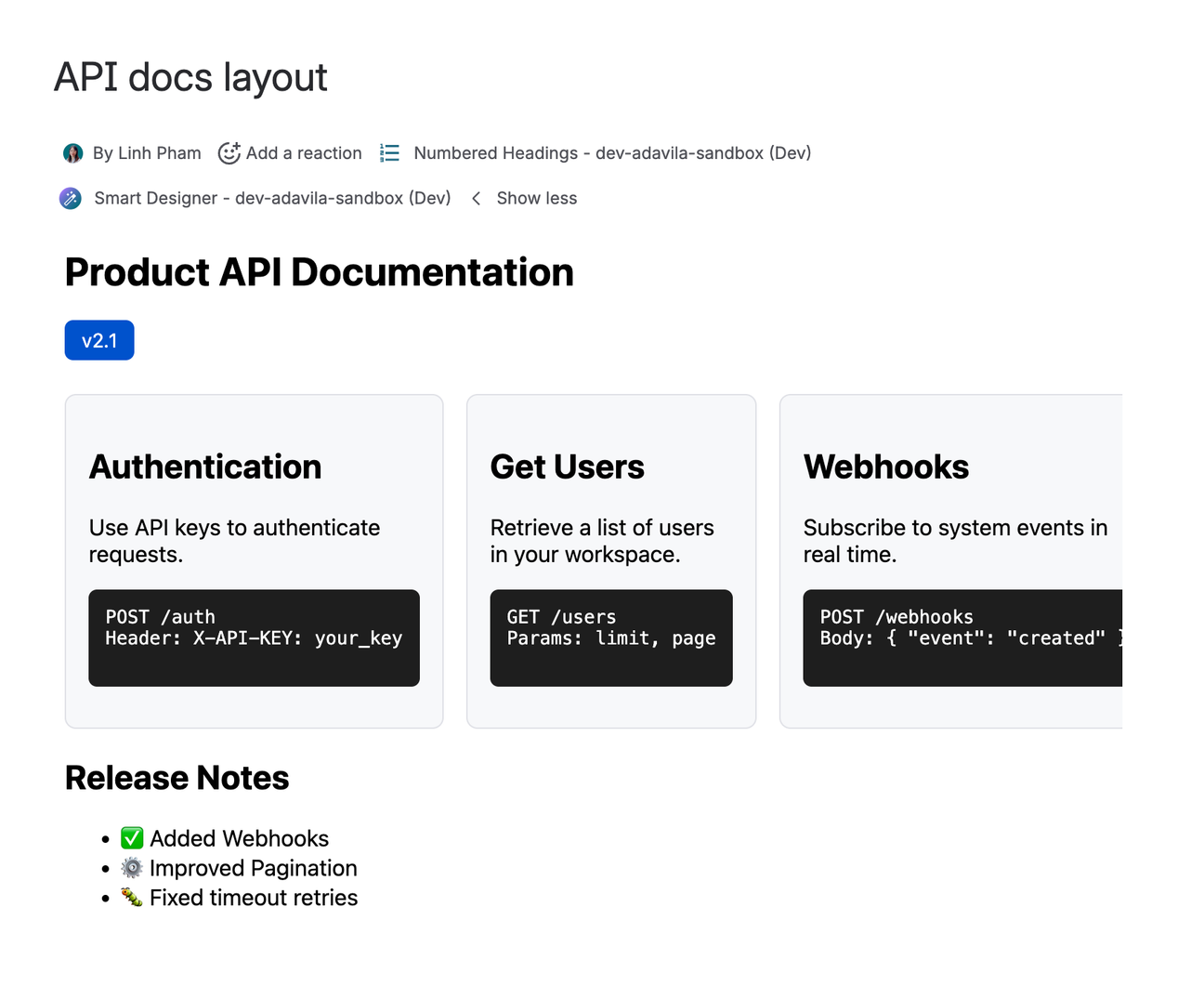
Example 2:

If you’re migrating from Mosaic Data Center, this macro not only allows you to replicate the legacy HTML Image and HTML Comment macros. It also gives you more styling capabilities. Check out our migration guide to learn how to convert your HTML-formatted content in Confluence Cloud.
To keep your Confluence environment safe, the HTML macro doesn't support full iframe embeds. We're happy to discuss supported options or review domain whitelisting requests for your instance, so please get in touch if your use case requires specific external content.

Get the HTML macro with Mosaic



Written by

Senior Product Marketing Manager
As Senior Product Marketing Manager at Kolekti, Linh brings over 13 years of experience in product management and marketing, with over seven years dedicated to building and growing solutions within the Atlassian ecosystem. She is passionate about helping teams work efficiently using tools like Confluence and Jira.