

Your Confluence page, now with added magic
No sweat, no learning curve. With Smart Designer, engaging Confluence pages are just a click away.
Get Smart Designer free with your trial of Mosaic. No credit card needed.
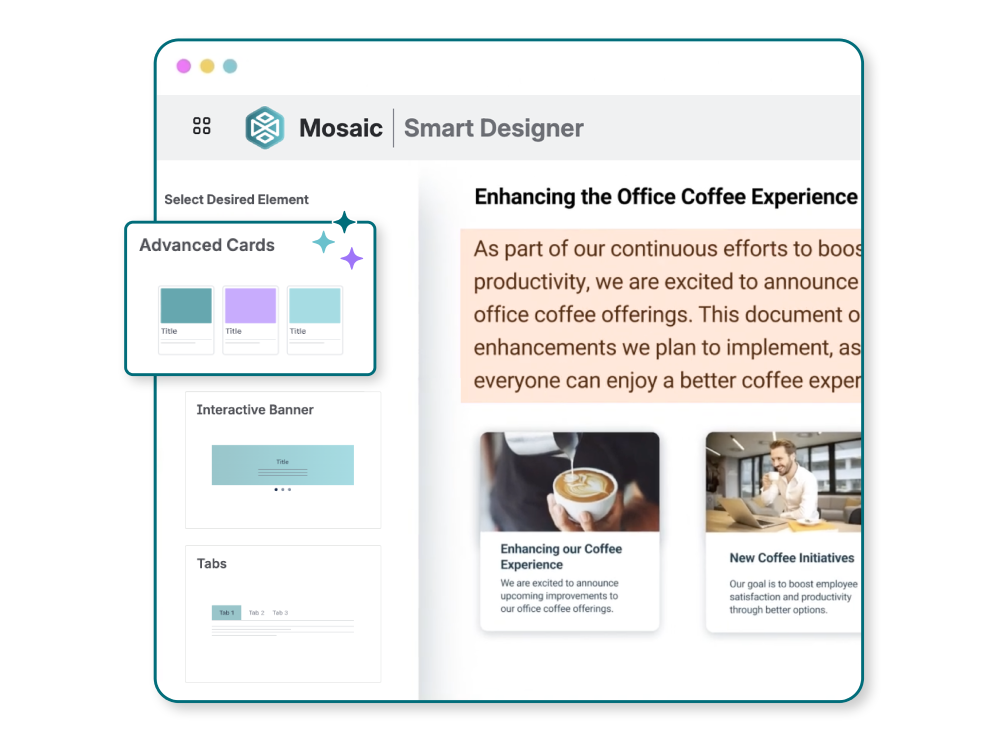
Say hello to Smart Designer
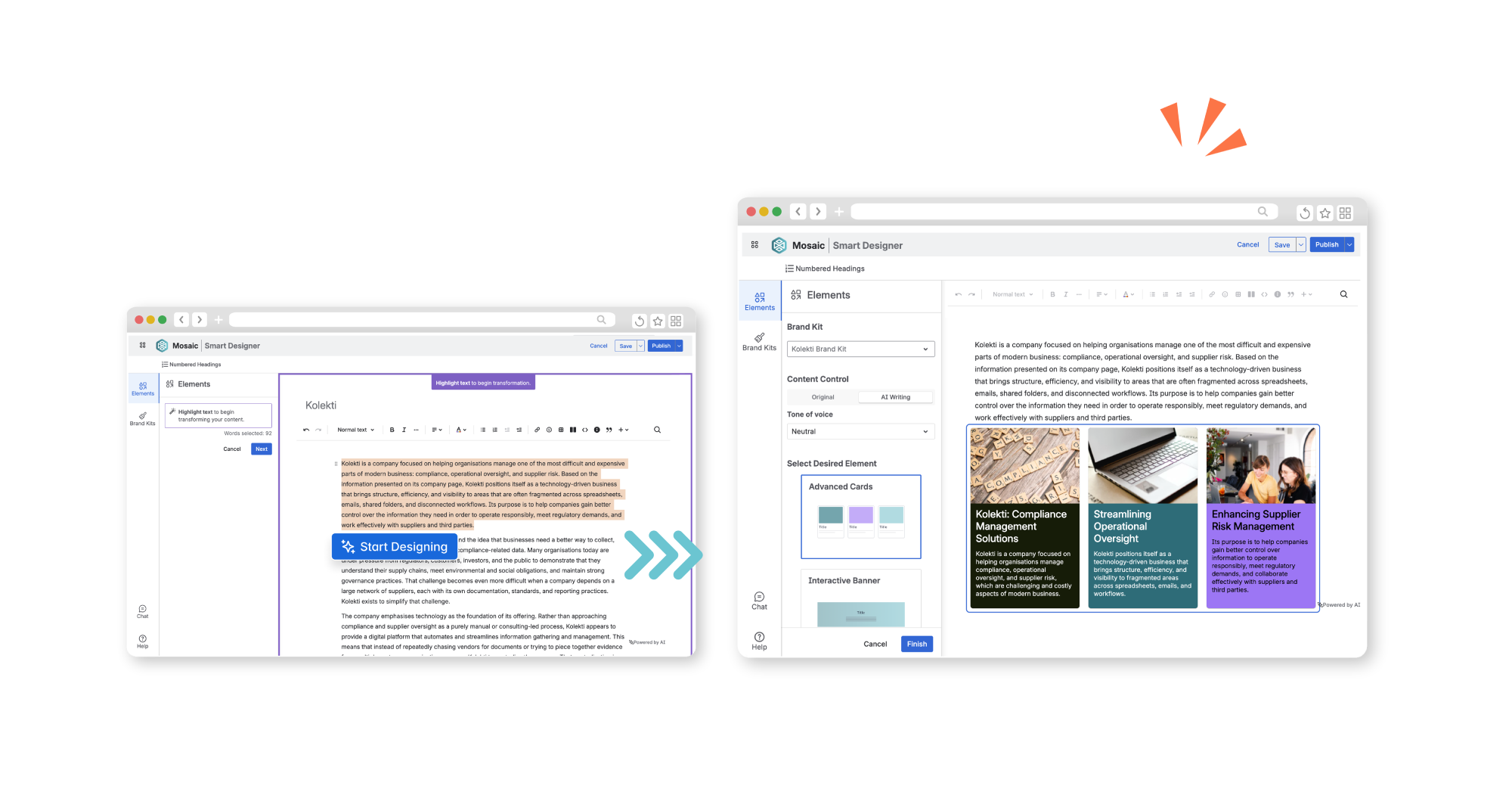
Smart Designer is a game-changing tool for Confluence. No more wondering how to format your pages — just highlight your text, click "Start designing", and watch your content come to life.
Experience Smart Designer exclusively with your Mosaic for Confluence licence, giving you access to engaging macros without the learning curve or effort.



Why use Smart Designer?

Save time
With no learning curve and no need for design know-how, users can create engaging pages in a fraction of the time.

Generate fresh ideas
Users can quickly and easily try new and original page layouts, allowing them to do more with much less effort.

Improve efficiency
Engaging Confluence pages are quicker and easier to read. Users can save reading time for other, more important tasks.
Let Smart Designer do the formatting for you
Stop spending time manually arranging macros and tweaking layouts. Smart Designer analyses your content and smartly restructures it into visually engaging sections, selecting the right macro for the right content type, and can even instantly add your company branding.
Breathe life into your wall of text at the click of a button — no design experience or copy-pasting needed.
Breathe life into your wall of text at the click of a button — no design experience or copy-pasting needed.
One editor, endless design options
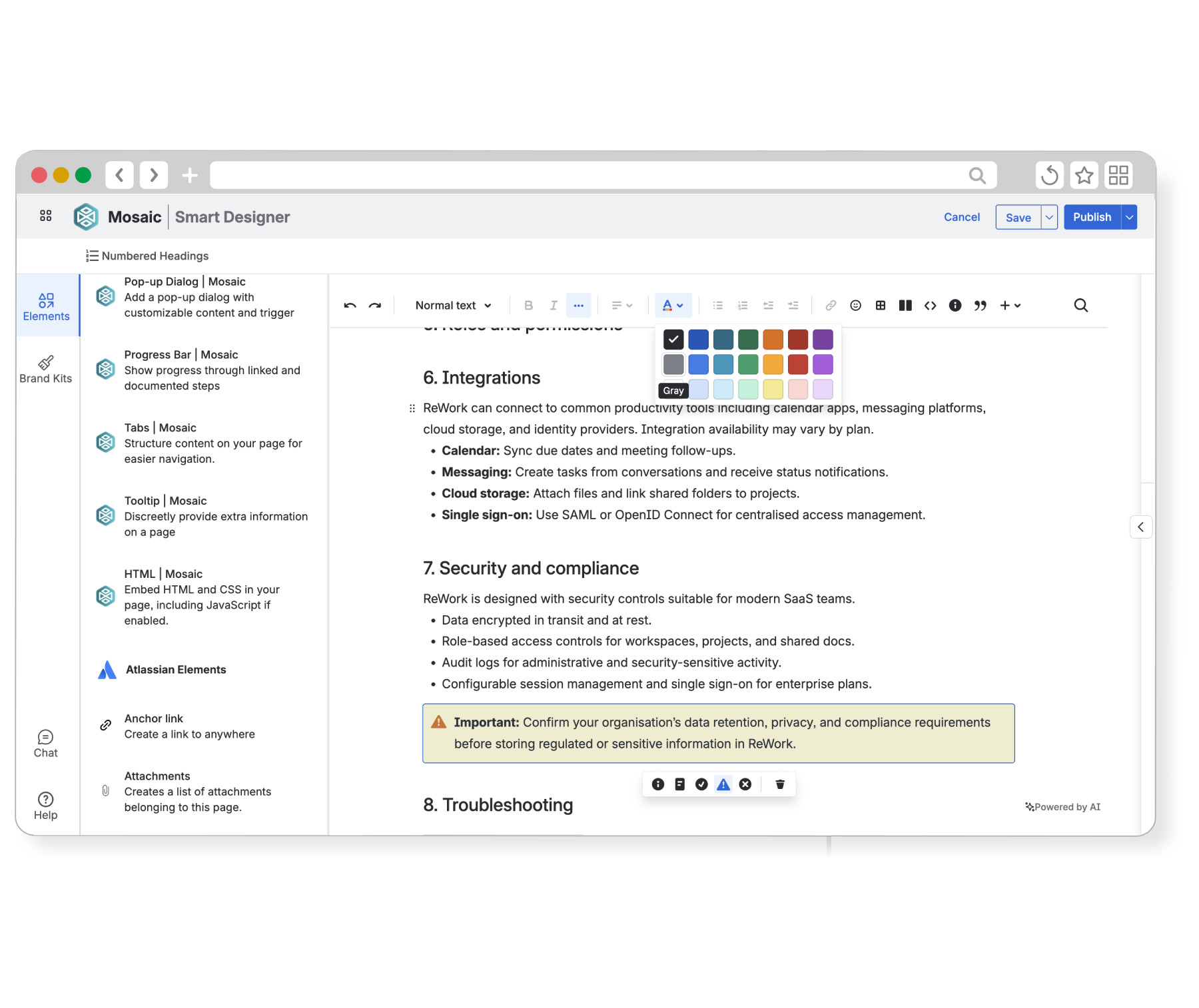
You don't need to switch between Smart Designer and Confluence's page editor to get the look you want.
Alongside Mosaic’s full range of macros, you can enjoy native Confluence elements and formatting options, from macros to headings and everything in between, directly from within Smart Designer. Drag and drop macros and elements to rearrange content without hassle.
I've been using the Smart Designer feature that lets me swap out text sections with better formatted elements, I find it very useful for making the pages more intuitive and pretty.
Stefan Zweig
Atlassian Marketplace review
Why teams love Smart Designer:

Confluence-friendly design
Works with Mosaic macros and native Confluence elements for maximum flexibility.

Instantly preview content
Preview and apply a range of formatting options to your page in seconds, with no learning curve and no surprises.

Create pages quicker
With Smart Designer always in reach, it’s fast and easy to transform existing content.
Smart Designer vs Confluence's built-in design tools
Smart Designer | Confluence-native formatting | |
|---|---|---|
Full macro library Access Advanced Cards, Tabs, Backgrounds, Advanced Expand, LaTeX, and more, plus Atlassian and third-party macros, in one place. | ||
Drag-and-drop element positioning Visually arrange and reorder macros. | ||
Instant content transformation Select existing text and automatically restructure it into formatted sections. | ||
Accessible formatting for non-technical users No need for users to know macro names - Smart Designer’s wizard will suggest the best styling options for you. | ||
Brand Kit integration Apply your organisation's colours, icons, and styling across all visual macros in one click. |
We use the Smart Designer tool that does most of the work… the AI feature means we just use bullet points and copy is generated for us, quick and smart working practices.
Alexa Cojocaru
Atlassian Marketplace review
Get started with Smart Designer
Ready to save your team time in Confluence? Try Smart Designer (and Mosaic) completely free for 30 days. Your users will thank you!
Frequently asked questions
What is Smart Designer?
Smart Designer is Mosaic's built-in page builder for Confluence Cloud. It lets you transform plain content into professionally formatted pages using a visual drag-and-drop canvas — no design skills or coding required.
Do I need to install anything extra to use Smart Designer?
No. Smart Designer is included with Mosaic Standard and Advanced Editions. If you already have Mosaic installed, you have access to Smart Designer.
Does Smart Designer work with existing pages or new ones?
Both! You can open Smart Designer on any existing Confluence page and transform the content that's already there, or create new content inside Smart Designer. You don't need to start from scratch if you don’t want to.
Will Smart Designer overwrite my existing page content?
Yes, but only what you choose to replace. Smart Designer also won't delete or overwrite anything until you confirm that you’re happy to make the changes.

Looking for a guided tour?
If you’d like to learn more about what Smart Designer and Mosaic can do for your team, schedule a call with me at a time that works for you.