Kolekti home
Kolekti will be at Team '26! Booth number revealed
Read more

Agile Retrospective Template for Confluence

Retrospectives give agile teams a regular, relaxed space to reflect on how things are going and agree on a few concrete tweaks.
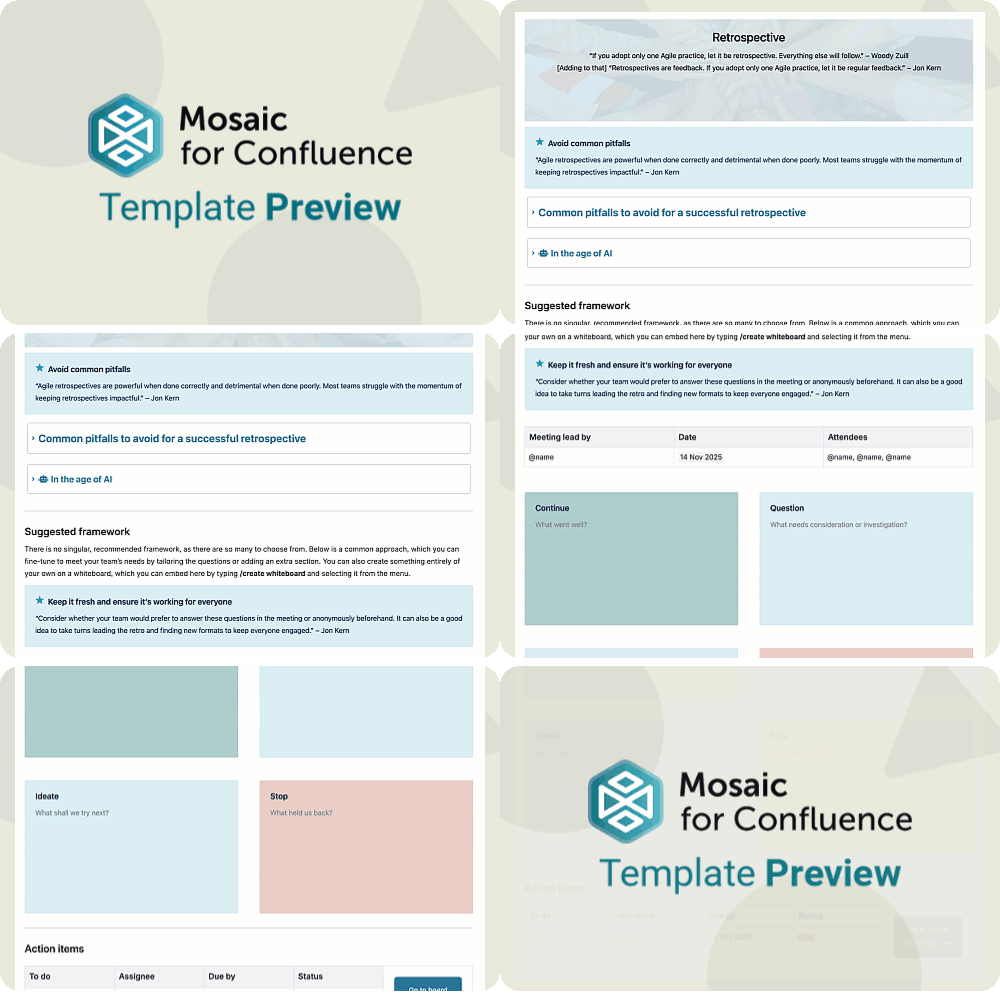
A GIF of a user scrolling to show the Agile Retrospective Template for Confluence
Want to use our Agile Retrospective Template? Simply install Mosaic for Confluence and choose it from the Confluence templates library.
Once you've installed Mosaic, follow these steps:
  1. Create a new page or live doc in Confluence, then click All templates from the bottom menu.
  2. Click on the templates search bar and type ‘Mosaic’.
  3. Select the ‘Agile Retrospective’ template to get started, or hover over it for a preview.
This Retrospective Template is part of the Jon Kern Agile Framework: a set of ten templates filled with expert advice and guidance to help your team master agile work. To learn more about Jon Kern and the Agile Manifesto, and to see the rest of the templates in this framework, head to the Jon Kern Agile Framework Hub.

What is a retrospective?

A retrospective is a regular session where the team pauses to look back on a sprint or period of work and talk honestly about what went well, what was difficult, and what they want to change next. It’s a lightweight, structured way to turn day‑to‑day experiences into small, practical improvements, rather than waiting for big reviews or crises to force change.

A colourful, stylised image of a pair of hands holding a tablet and choosing a happy face from a selection of emotions on the screen

Why does your team need a retrospective?

A retrospective gives everyone a voice in how the team works, helping you spot patterns, agree on one or two experiments, and build a culture where steady improvement is just part of the routine.
A stylised image of a school of fish all swimming in the same direction
By checking in regularly, teams can catch friction, bottlenecks, and misunderstandings early, rather than letting them snowball into missed deadlines or frayed relationships.
A stylised image of a pair of binoculars
Retrospectives create a safe space to share wins and challenges, which helps people understand each other’s perspectives better and collaborate more smoothly when the next sprint begins.
A colourful, collage-style image of two cups of coffee
A retrospective gives everyone a voice in how the team works, helping you spot patterns, agree on one or two experiments, and build a culture where steady improvement is just part of the routine.
By checking in regularly, teams can catch friction, bottlenecks, and misunderstandings early, rather than letting them snowball into missed deadlines or frayed relationships.
Retrospectives create a safe space to share wins and challenges, which helps people understand each other’s perspectives better and collaborate more smoothly when the next sprint begins.
A stylised image of a school of fish all swimming in the same direction
A stylised image of a pair of binoculars
A colourful, collage-style image of two cups of coffee
A retrospective gives everyone a voice in how the team works, helping you spot patterns, agree on one or two experiments, and build a culture where steady improvement is just part of the routine.
A stylised image of a school of fish all swimming in the same direction
By checking in regularly, teams can catch friction, bottlenecks, and misunderstandings early, rather than letting them snowball into missed deadlines or frayed relationships.
A stylised image of a pair of binoculars
Retrospectives create a safe space to share wins and challenges, which helps people understand each other’s perspectives better and collaborate more smoothly when the next sprint begins.
A colourful, collage-style image of two cups of coffee

What elements should a retrospective include?

Gentle reminders to ensure a successful retrospective

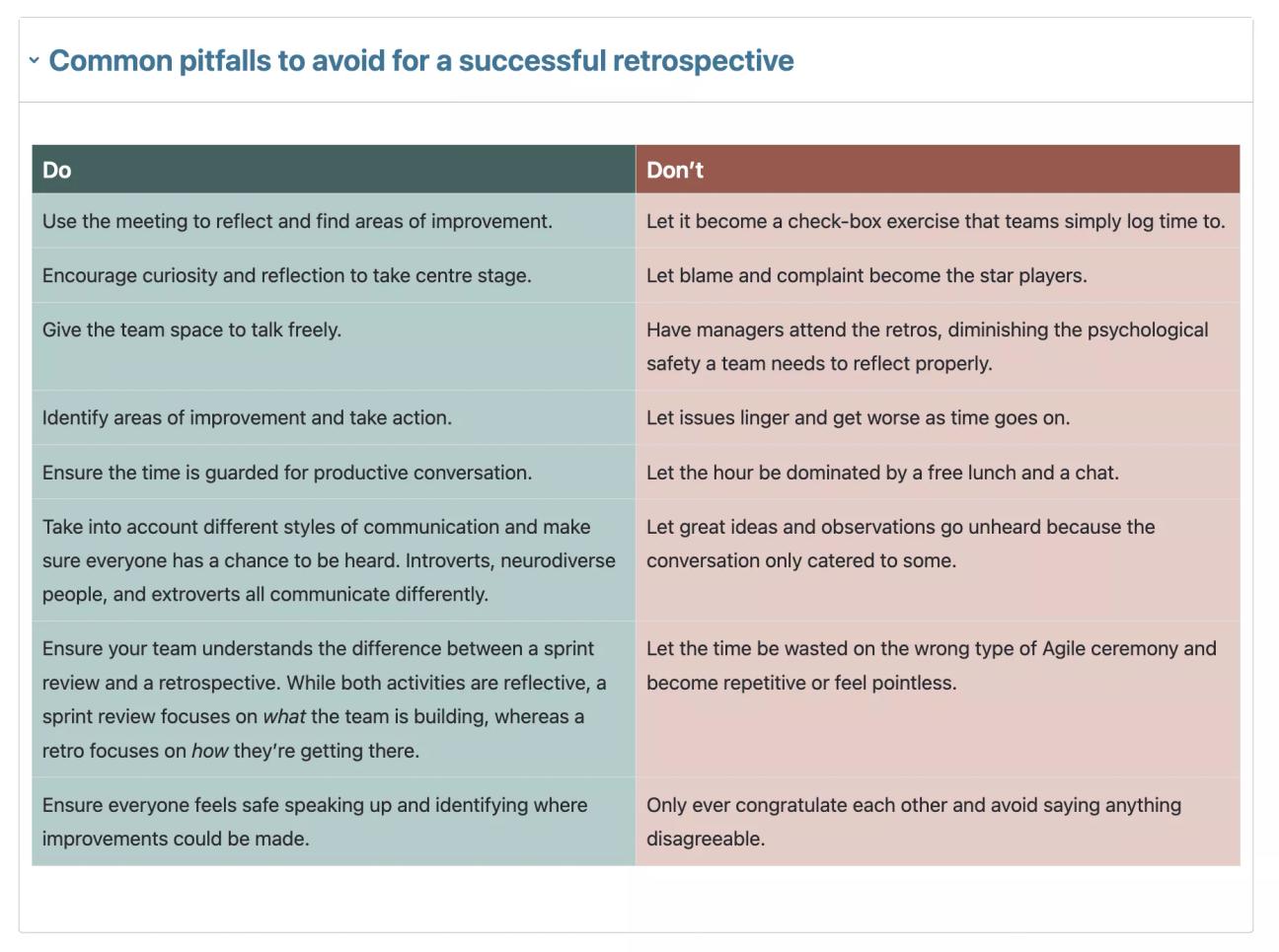
Remind the team of some house rules before or at the start of every retrospective to avoid the meeting devolving into pure small talk or causing friction if certain voices don’t get heard. Keeping this information in a collapsible section lets the team refer to it whenever they need guidance without cluttering the page when the meeting’s in full swing.
A screenshot of an expanded collapsible section of the Agile Retrospective Template showing expert advice in the form of dos and don'ts

A framework for feedback

Retrospectives work best with a clear framework for feedback, so everyone gets a chance to add their thoughts without feeling too vulnerable or under pressure.
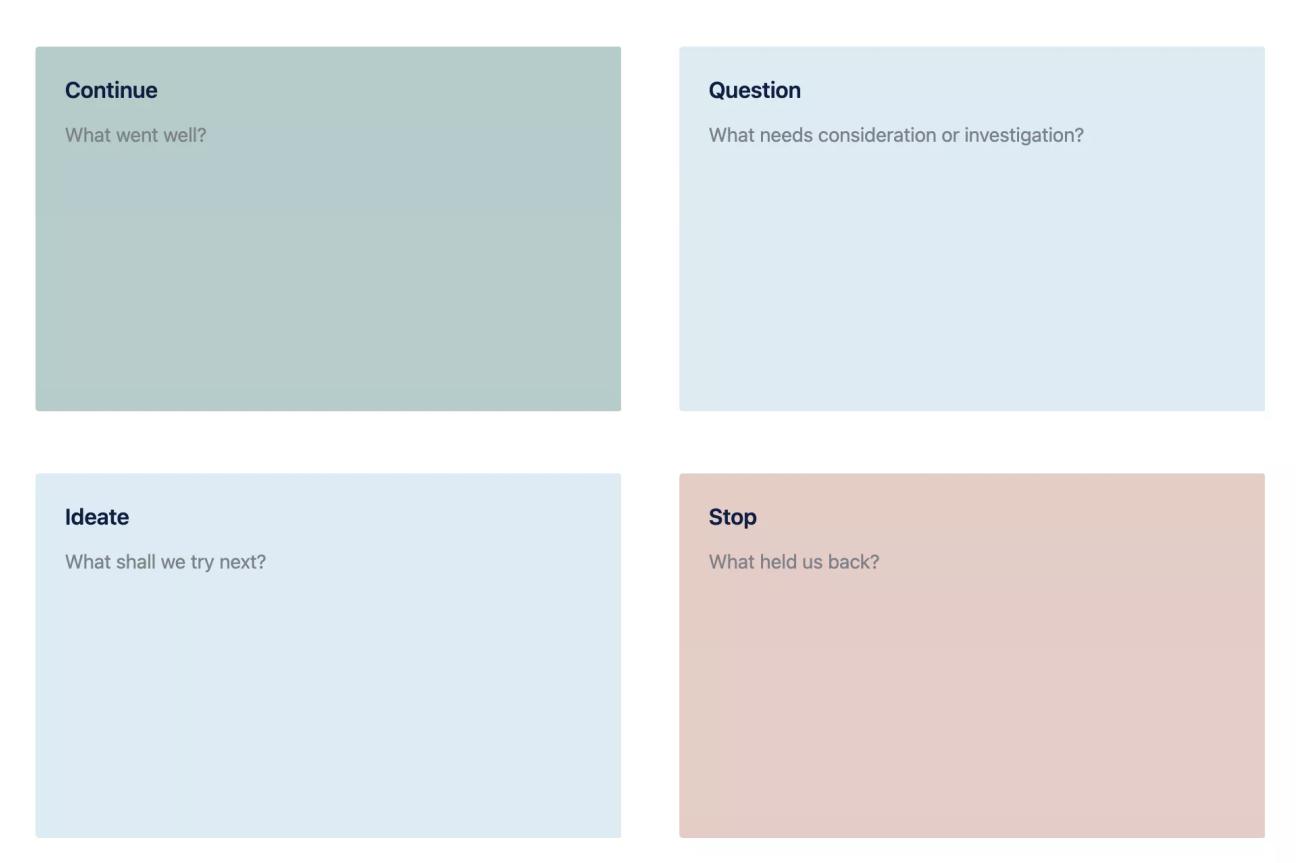
Our template provides a simple framework for dividing feedback into four sections: what the team should continue doing, what methods they should question, new ideas, and what to stop.
Fine-tune this to meet your team's needs by tailoring the questions, adding an extra section, or creating something of your own on a whiteboard, which you can embed on the page by typing ‘/whiteboard’ and selecting it from the menu.
A screenshot of the Agile Retrospective Template, showing four boxes labelled "Continue," "Question," "Ideate," and "Stop"

Next steps

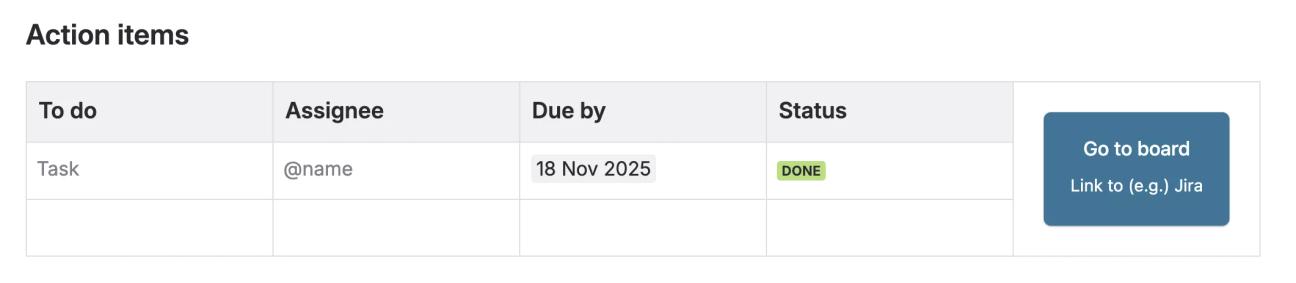
Don't let any action items raised in the meeting go forgotten – record them in the retrospective notes and link directly to Jira or another task management tool (such as a kanban board in Confluence) to streamline the route from getting feedback to implementing change.
A screenshot of the last section of the Agile Retrospective Template, titled "Action items"

Next in the Jon Kern Agile Framework

This Retrospective Template is the eighth template of the Jon Kern Agile Framework. Click the button below to see the next template in this set, or head to the Jon Kern Agile Framework Hub to see them all.

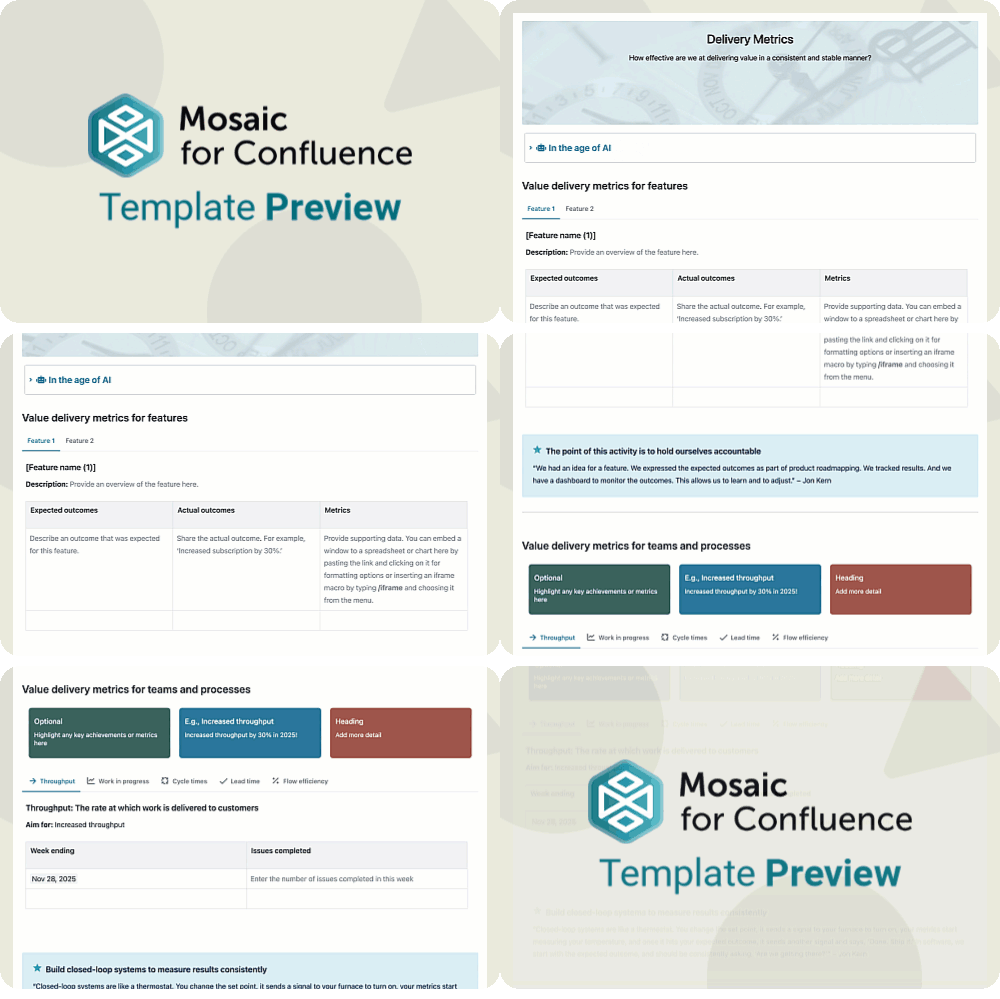
Scrolling gif of the Agile Delivery Metrics Template for Confluence
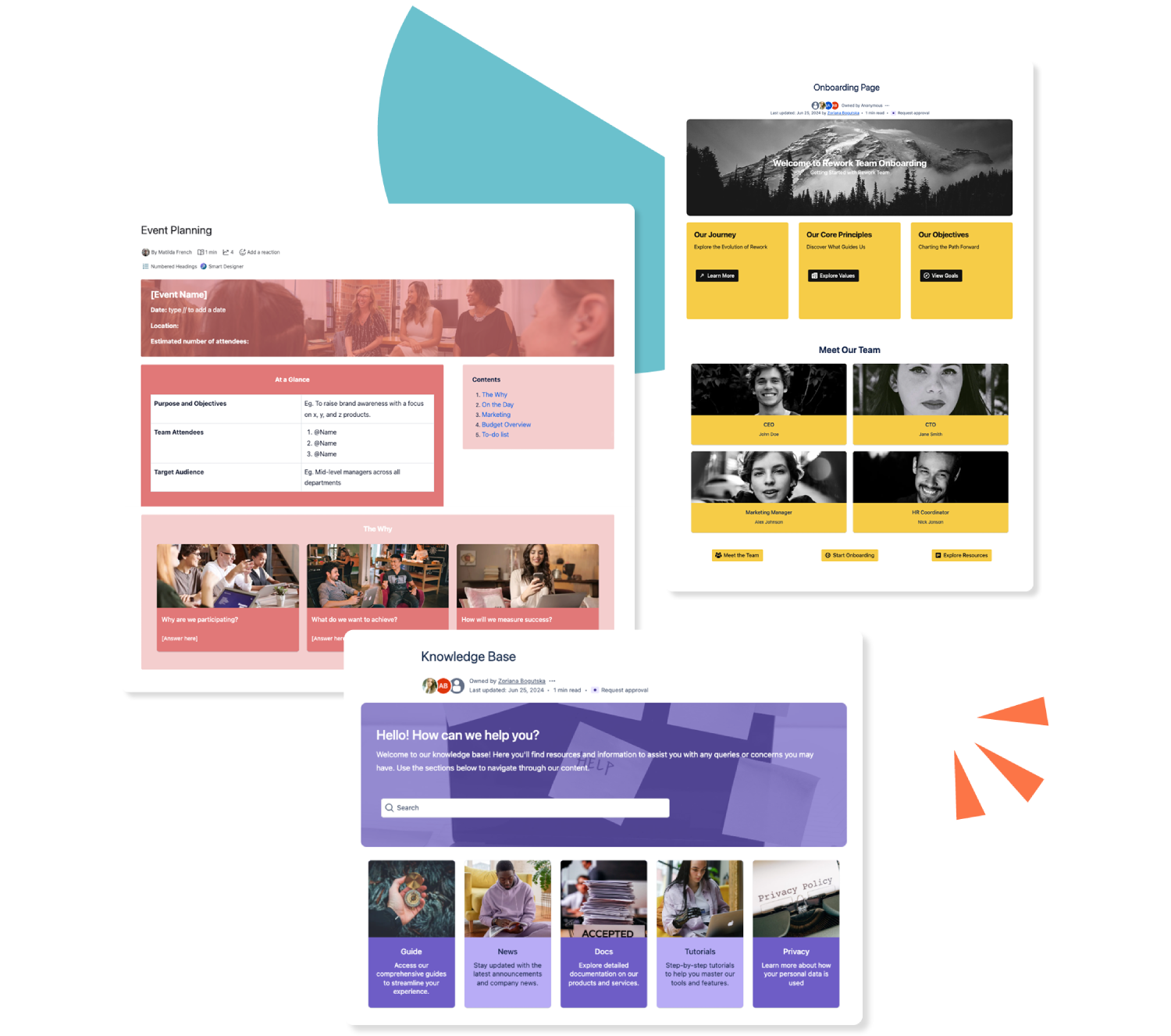
Three colourful Confluence templates stacked over each other

Get this template and more with Mosaic

Try Mosaic completely free for 30 days and see how much time you save with our range of engaging templates.

Explore more Confluence templates

A how-to article template on Confluence

Confluence How-to Article Template

A how-to article gives an at-a-glance overview of everything to do with your business. Use our how-to article template today.
Read more
A Confluence template for documentation

Confluence Documentation Template

Ensure readers can (and do!) readily consume your important content with our easy-to-use documentation template.
Read more
A template for a knowledge base in Confluence

Confluence Knowledge Base Template

Make your Confluence knowledge base a space of beauty, with dynamic elements to make everyone stare! Our customisable templates make it easy.
Read more