
Meet Mosaic Tables: Confluence tables without compromise
Share on socials
Meet Mosaic Tables: Confluence tables without compromise


MOSAIC TABLES FEATURES:
MOSAIC TABLES FEATURES:
Faster, richer formatting
Easy filtering
Self-serve analytics
Upgrade uninspiring Confluence tables and improve reporting for your teams with Mosaic's latest feature update.
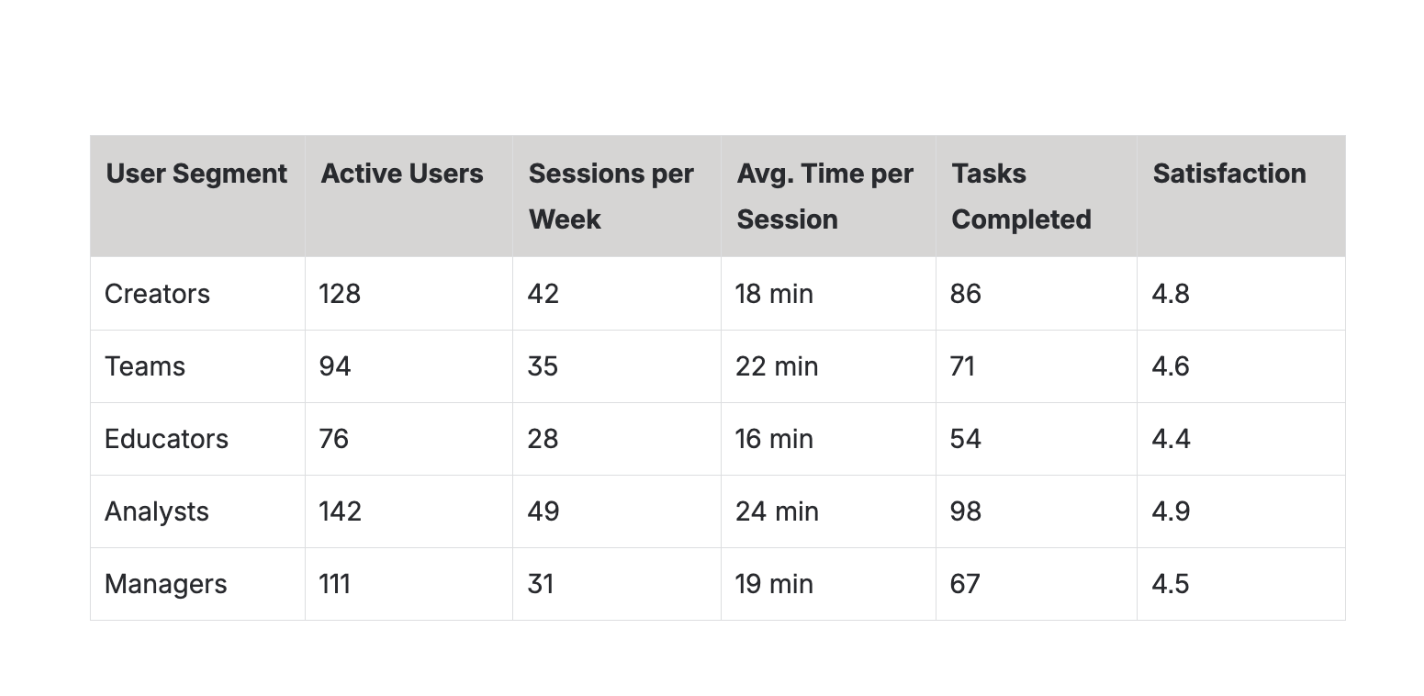
Are your users tired of wrestling with Confluence's tables? You need better formatting and easy data visualisation, but without the complexity of managing multiple separate apps.
Say hello to Mosaic Tables, an altogether upgraded table experience for Confluence that marries rich formatting with lightweight data tools teams can use every day. Whether your users are authors, analysts, or decision-makers, Mosaic for Confluence's latest update finally makes tables in Confluence feel as good as the rest of their content, without compromising on function.
Step up your table game with Mosaic Tables
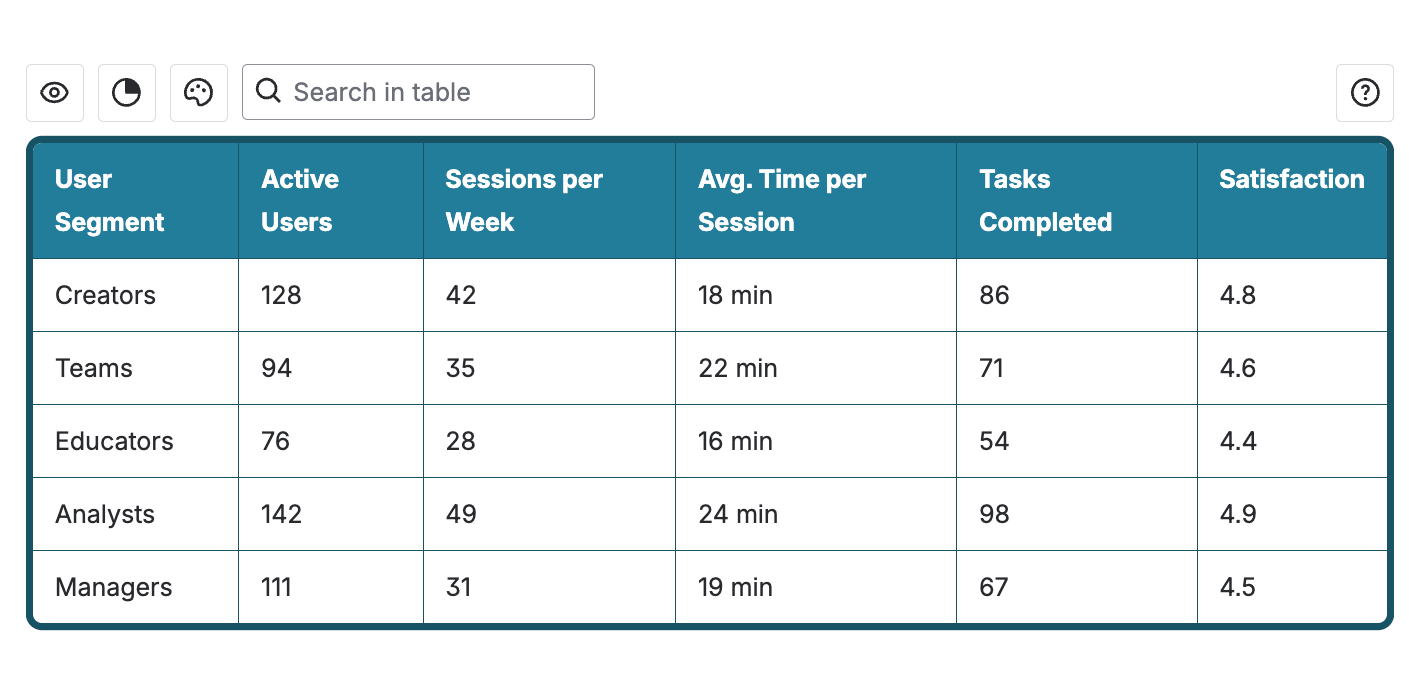
Mosaic Tables brings together everything you've ever wanted from a Confluence table: theming, rich formatting, hideable columns, and search, alongside lightweight data tools your team actually uses day-to-day. They make reporting and dashboards in Confluence simpler, cleaner, and more usable, helping to keep teams in Confluence and improve your investment.
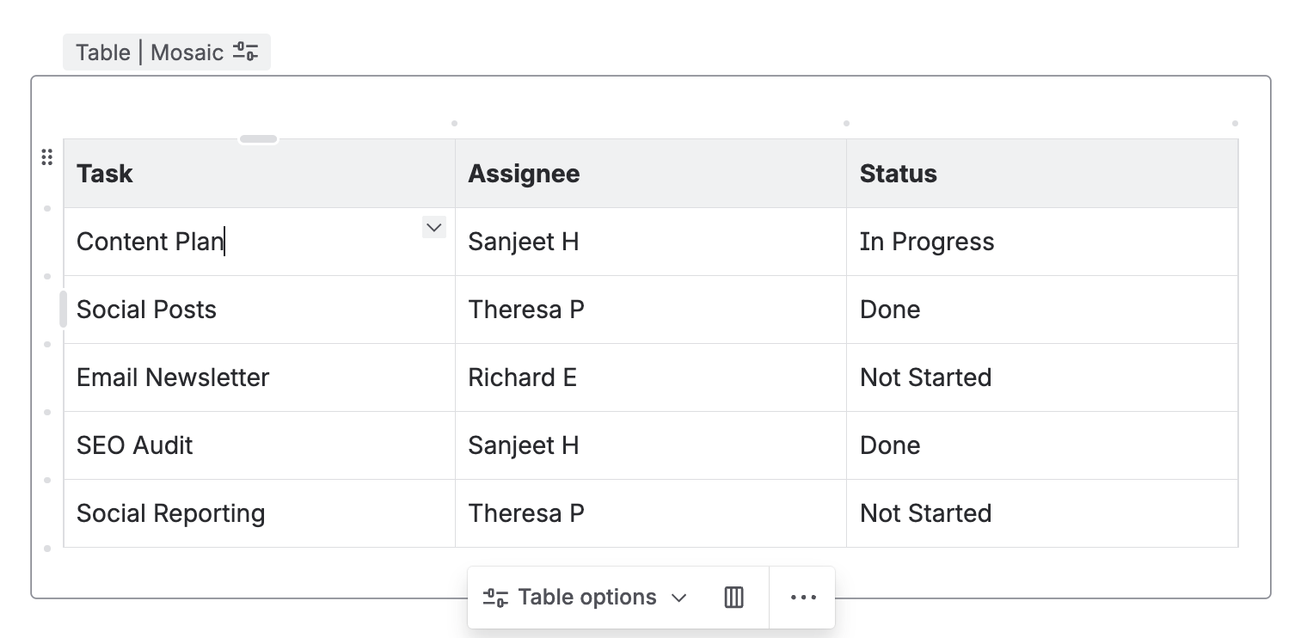
Because Mosaic Tables wrap around Confluence tables, you can create tables as normal in Confluence with no new learning curve. Simply nest a table inside Mosaic’s Table macro and start editing, or upgrade existing tables with a quick copy-paste to transform stale reports in seconds.
Faster, richer formatting
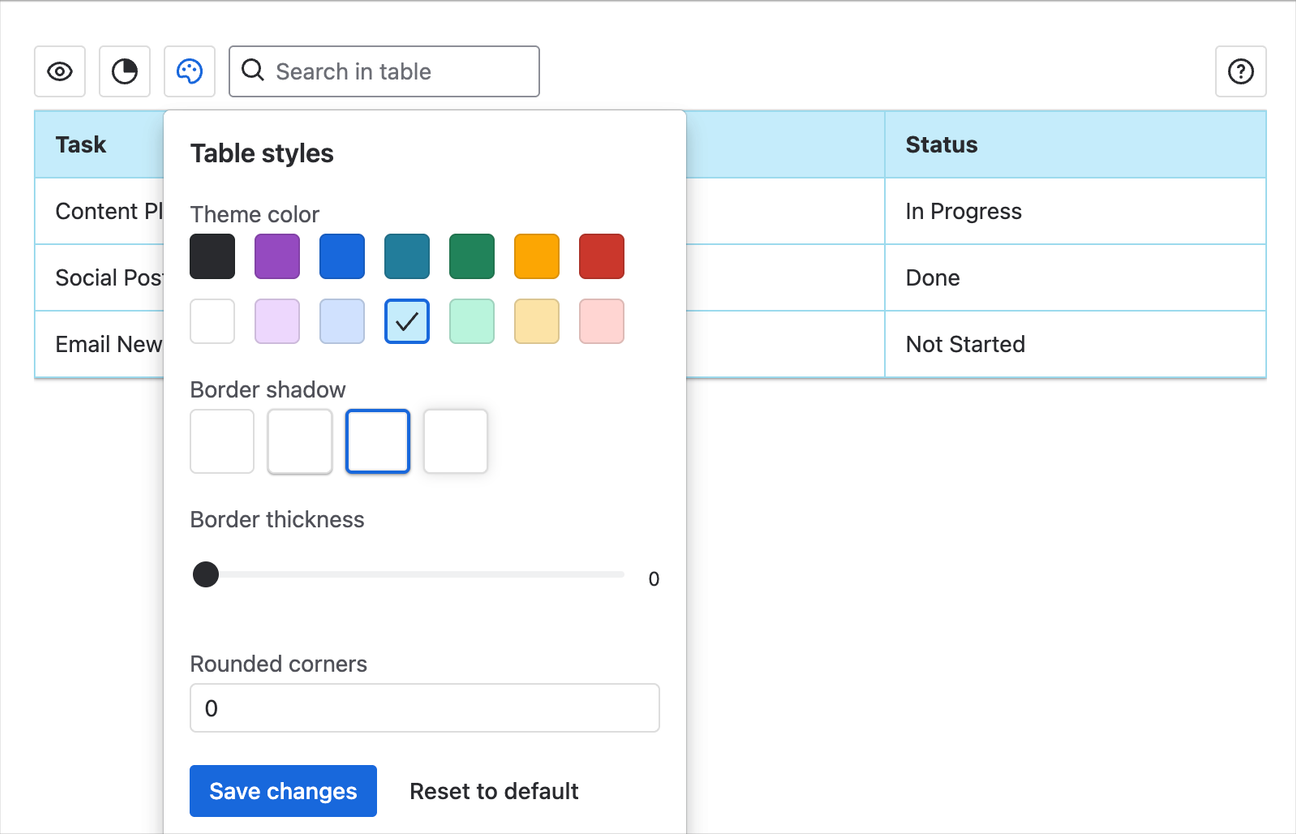
Tired of the multi-step process it takes to make your tables just a little bit nicer? With Mosaic Tables, you can choose your theming and apply it to the entire table in a fraction of the time. No more dragging and right-clicking on table cells.
Want to make your tables more readable and polished than Confluence usually allows? Boost formatting, layout, and presentation with border shadows, border thickness, and even rounded corners.
Easy filtering
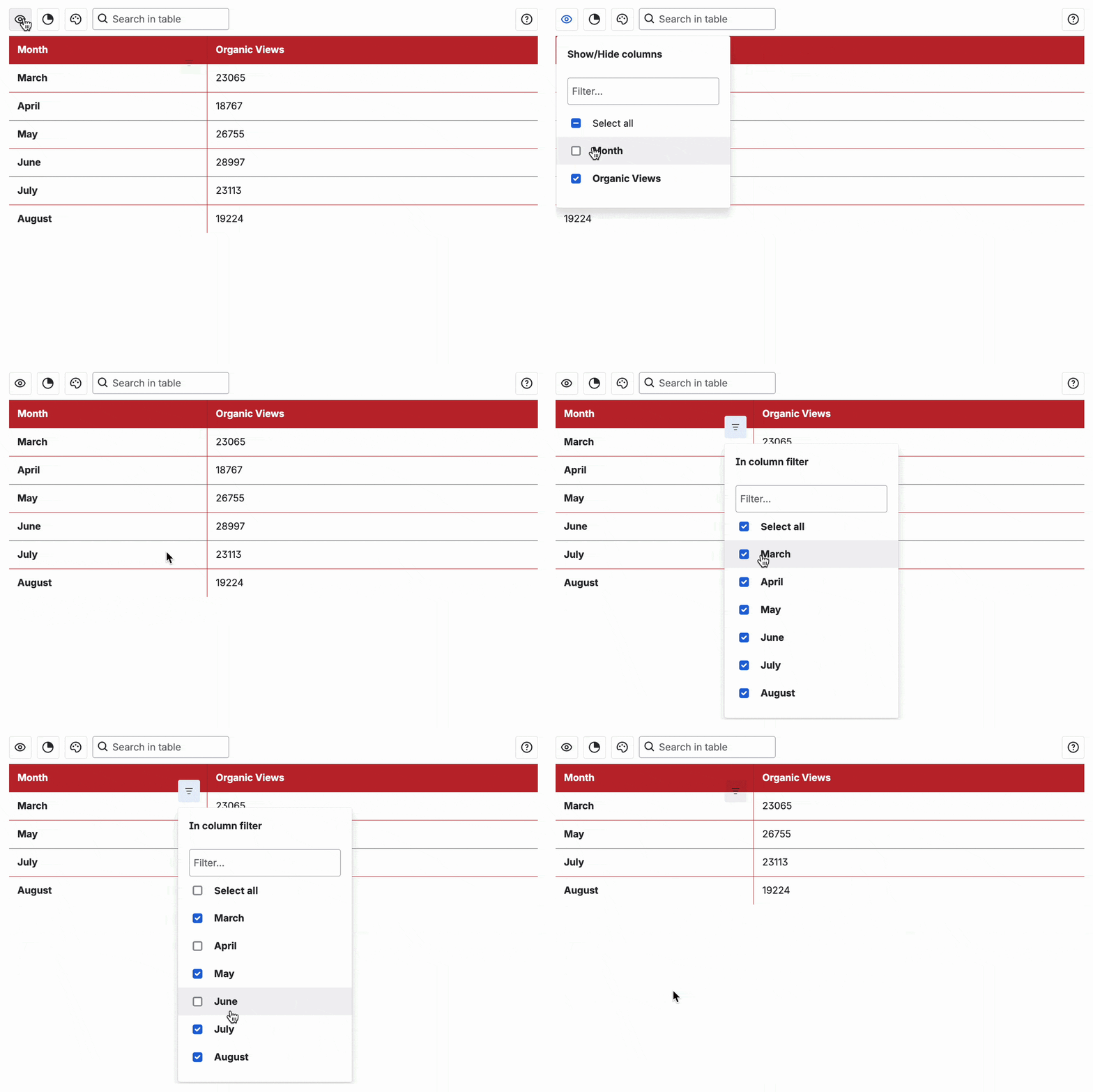
Confluence's tables offer no way to refine data, so if you've got a lot of columns or rows to sift through, it can quickly become overwhelming. Thankfully, Mosaic Tables remove the complexity for you.Hide (or show) entire columns, filter in-column results to narrow down specific values, or even search the entire table to remove all noise and get straight to the answers you want.
Self-serve analytics
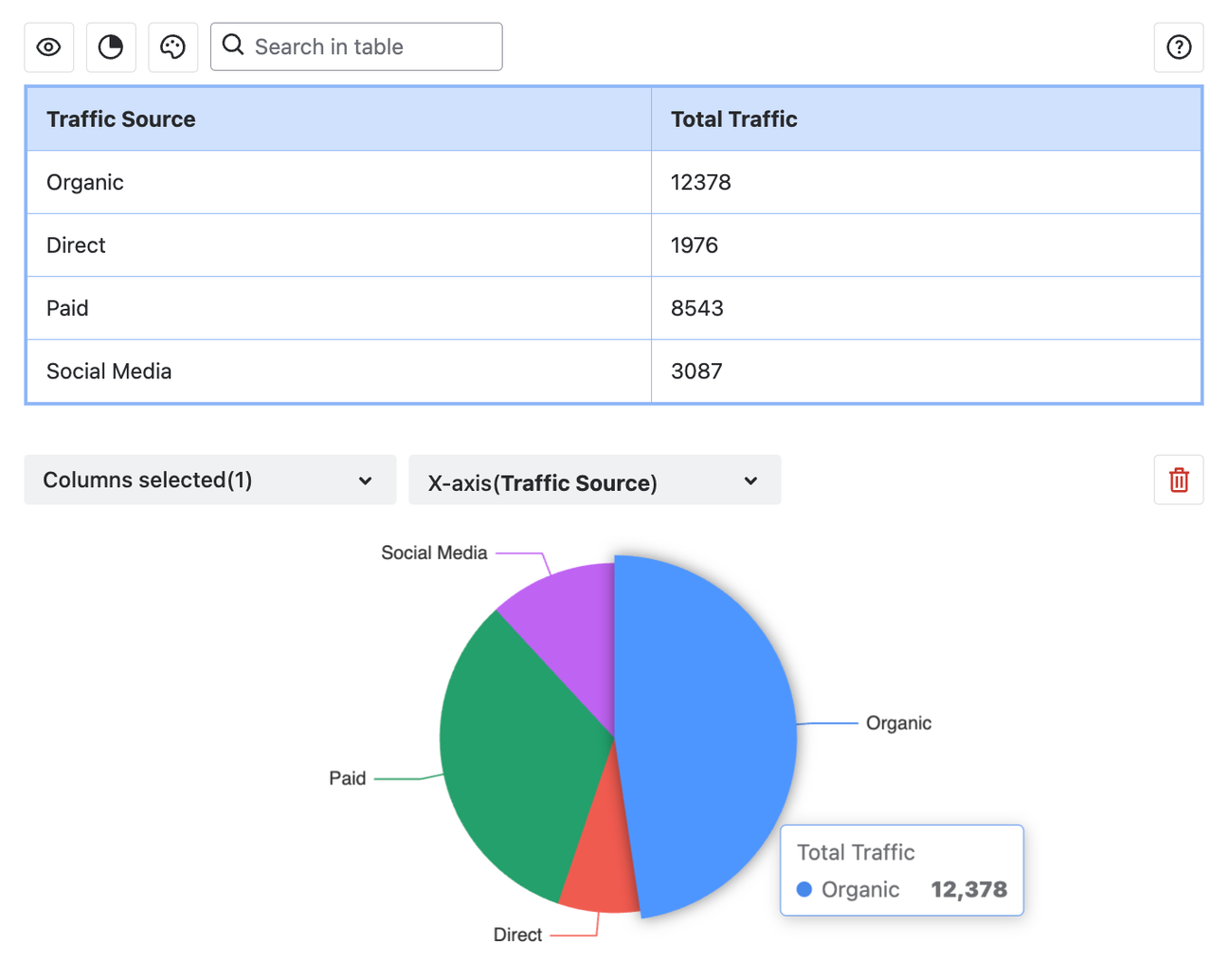
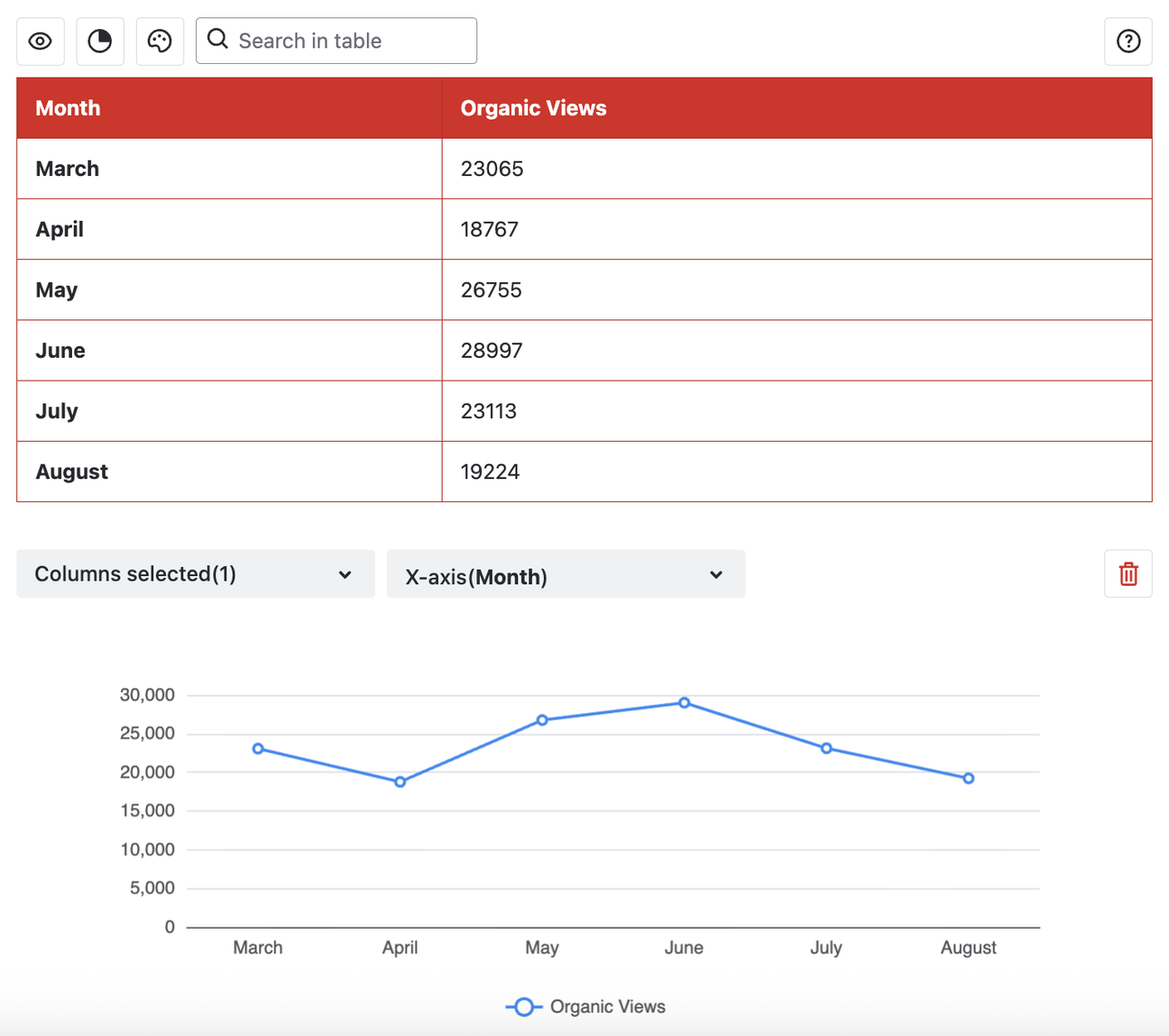
Creating charts from a Confluence table is only accessible in page edit mode. This means decision-makers can't dig into data the way they want without accessing the backend of your page.
Mosaic Tables remove this friction. Different users can generate different visualisations to get custom at-a-glance insights and make data-informed decisions – all with just a couple of clicks, and with no need to make edits to the page content.
We're excited to see how upgraded tables improve reporting for your teams. This is just the beginning for Mosaic Tables – watch this space, because more features are coming very soon!

Written by