

Can't decide between Mosaic and Refined?
Find the right Confluence formatting solution for your organisation
Mosaic vs Refined side-by-side comparison
Which offers complete content formatting and management, flexibility, and unparalleled security – all in a single app?
Mosaic for Confluence | Refined Macro Toolkit | |
|---|---|---|
🏆 Platinum Marketplace Partner | 🏆 Platinum Marketplace Partner | |
Macros for all teams | ||
Full-page templates | Included with Mosaic Advanced flexibility with Confluence’s native formatting features | ⚠️ Requires a separate app Doesn't support Confluence macros |
Page builder | Included with Mosaic Supports Confluence’s native formatting features | ⚠️ Requires a separate app Cannot add macros from other sources |
HTML macro | Fully secure HTML, CSS, and JavaScript (Advanced Edition) Import code from attachment HTML template blocks | |
Bulk page creation and management | Create and manage hundreds of pages at once (Advanced Edition) | |
Enterprise-ready security | Cloud Fortified ISO 27001 certified Built with Forge Data egress controls (Advanced Edition) Available on Atlassian Government Cloud (AGC) and Atlassian Isolated Cloud | ⚠️ Cloud Fortified |
Mosaic: #1 most popular content formatting app
13M+
users
6.6M
cloud pages edited
5.5K+
companies
How Mosaic compares to Refined

Everything you need in a single app
Get a full formatting suite with no additional apps needed.

Create Confluence-friendly content
Templates and page building that work flexibly with Confluence's native features.

No design learning curve
Everyone can use Mosaic, not just those with design know-how.

HTML macro
Create pages however you imagine with secure HTML, CSS, and JavaScript.

Bulk content creation
Create, manage, and delete up to 200 pages in one central place.

Top-tier support
Enjoy unparalleled security and a guaranteed response within 24 hours.
Mosaic vs Refined: the full breakdown
REDUCED COMPLEXITY
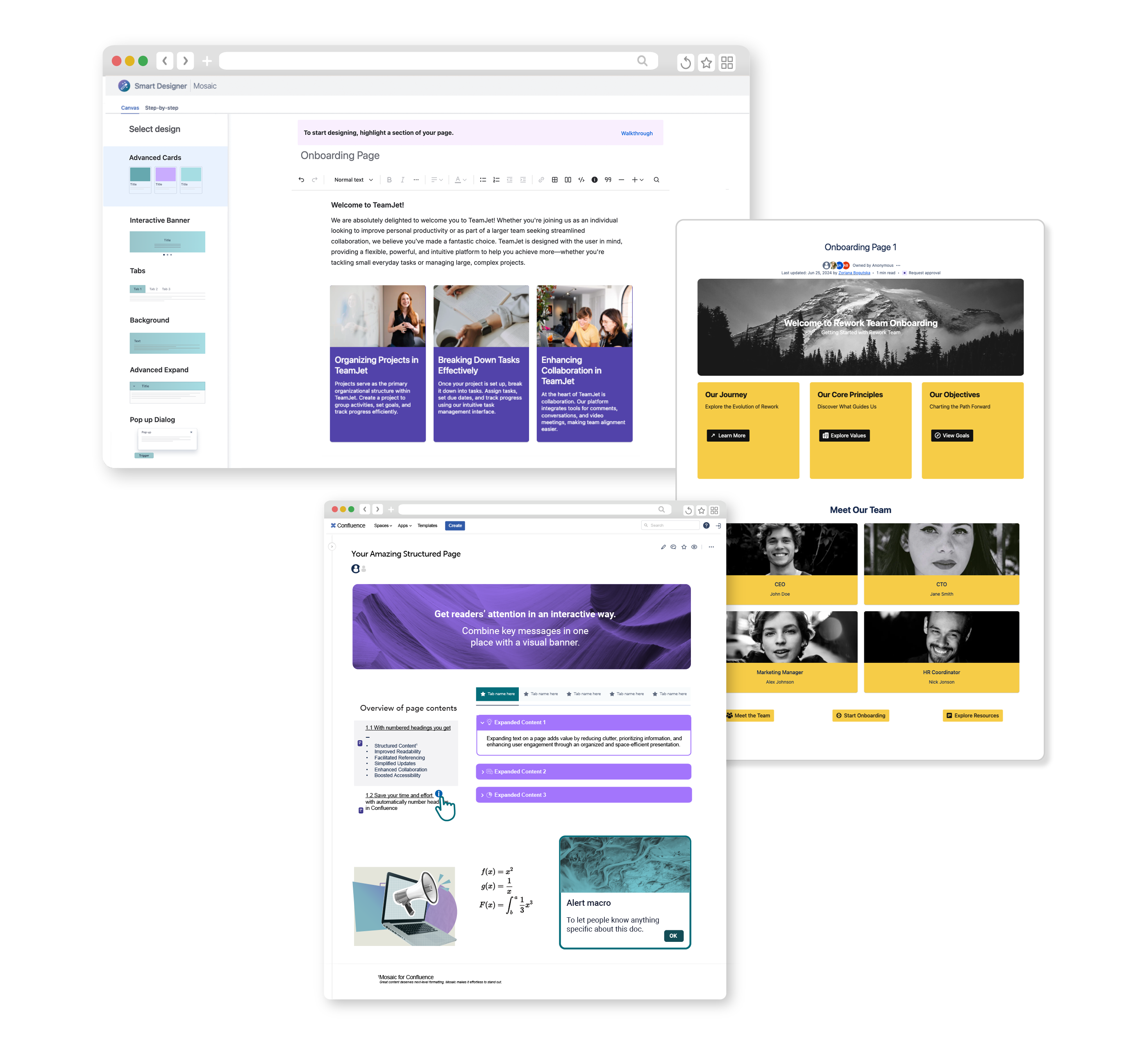
All-in-one content creation
Unlike with Refined, you don't need an extra formatting app to get the full Mosaic design experience.
Enjoy professional page templates, easy page design, content management, and a full suite of macros – in a single complete package.
CONFLUENCE-FRIENDLY PAGE CREATION
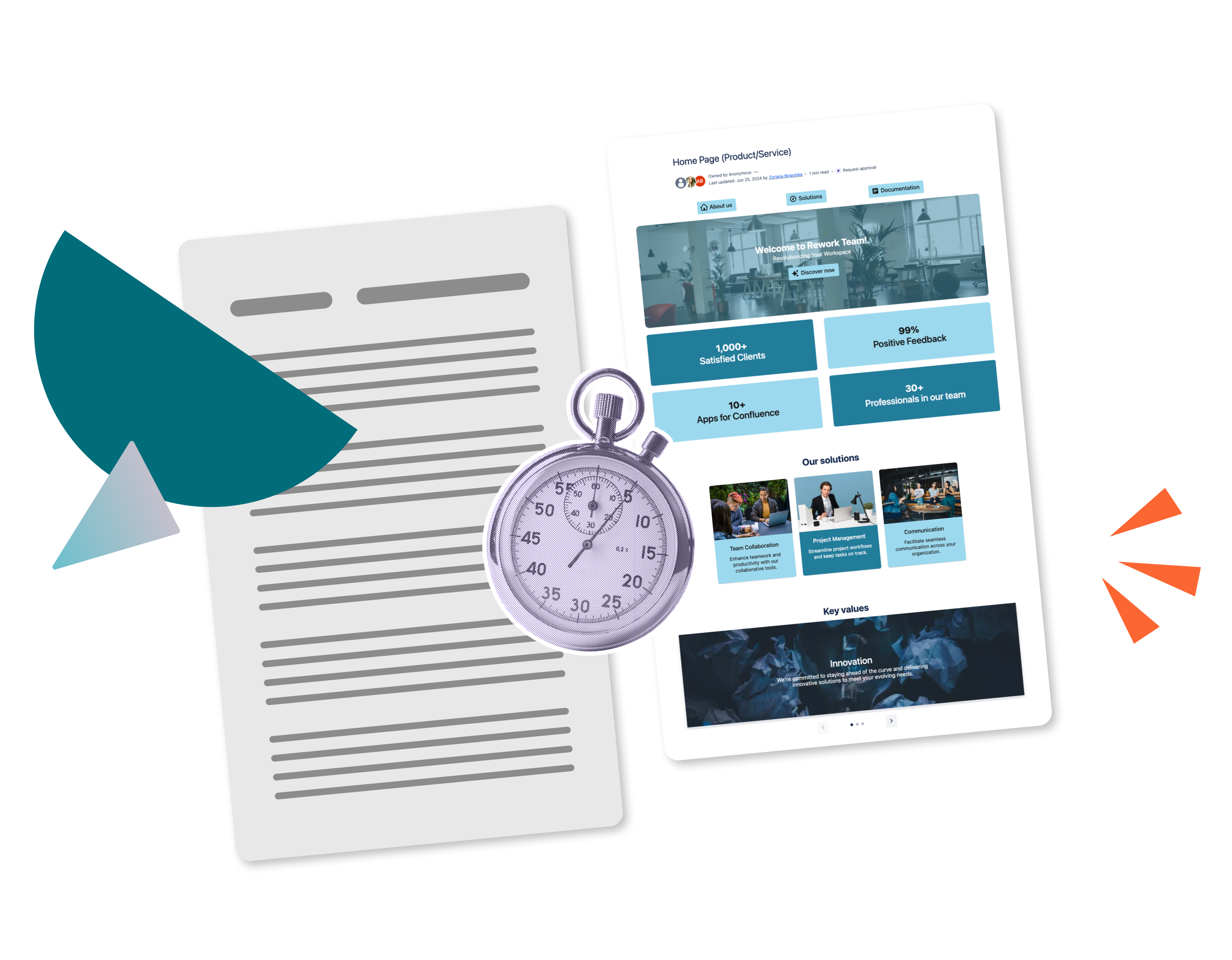
Quick, simple, and flexible page building
With Refined's companion app, designed pages and templates work as a single macro. This means you can't add native Confluence formatting or collaborate on pages, making it well-suited to sleek, static landing pages.
Mosaic plays to Confluence's strengths. Its templates and Smart Designer add macros the native way, with each element added as a single macro. Collaboration, editing, and go-to native macros all stay in play, making Mosaic perfect for polishing everyday content.
Discover smarter page design with Mosaic
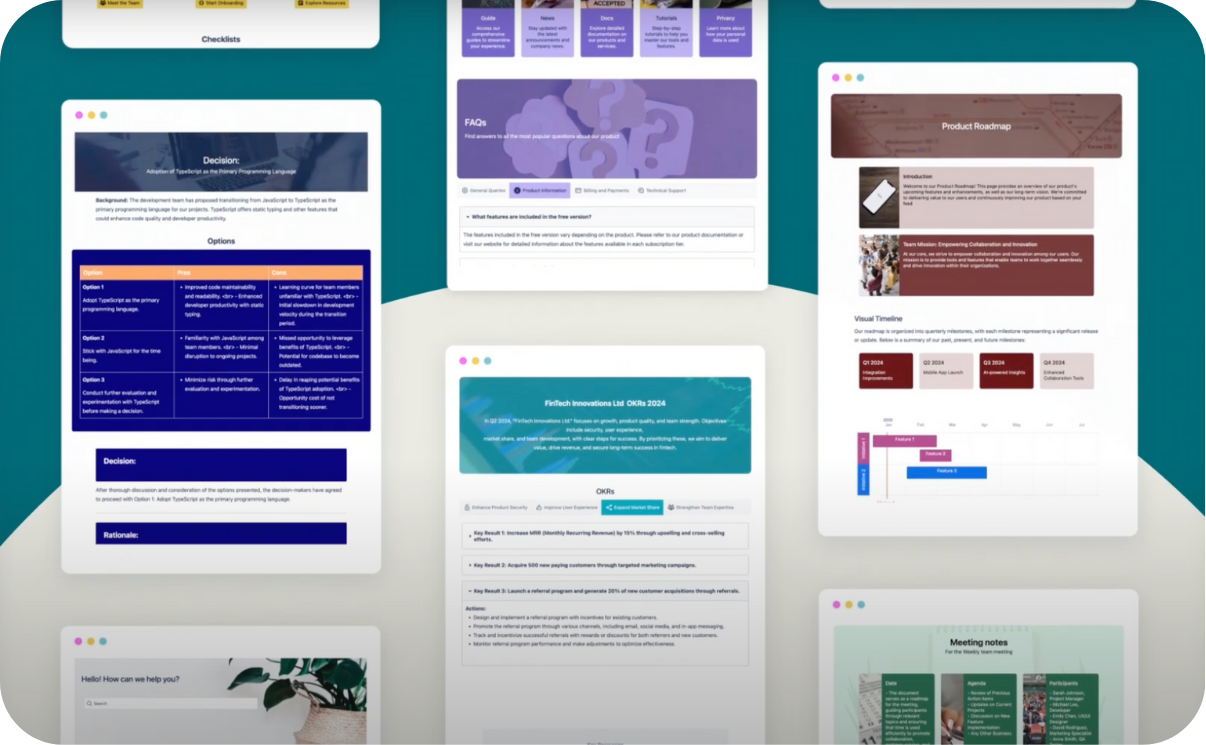
Templates
Save hours on formatting with beautifully designed templates for the most popular use cases.
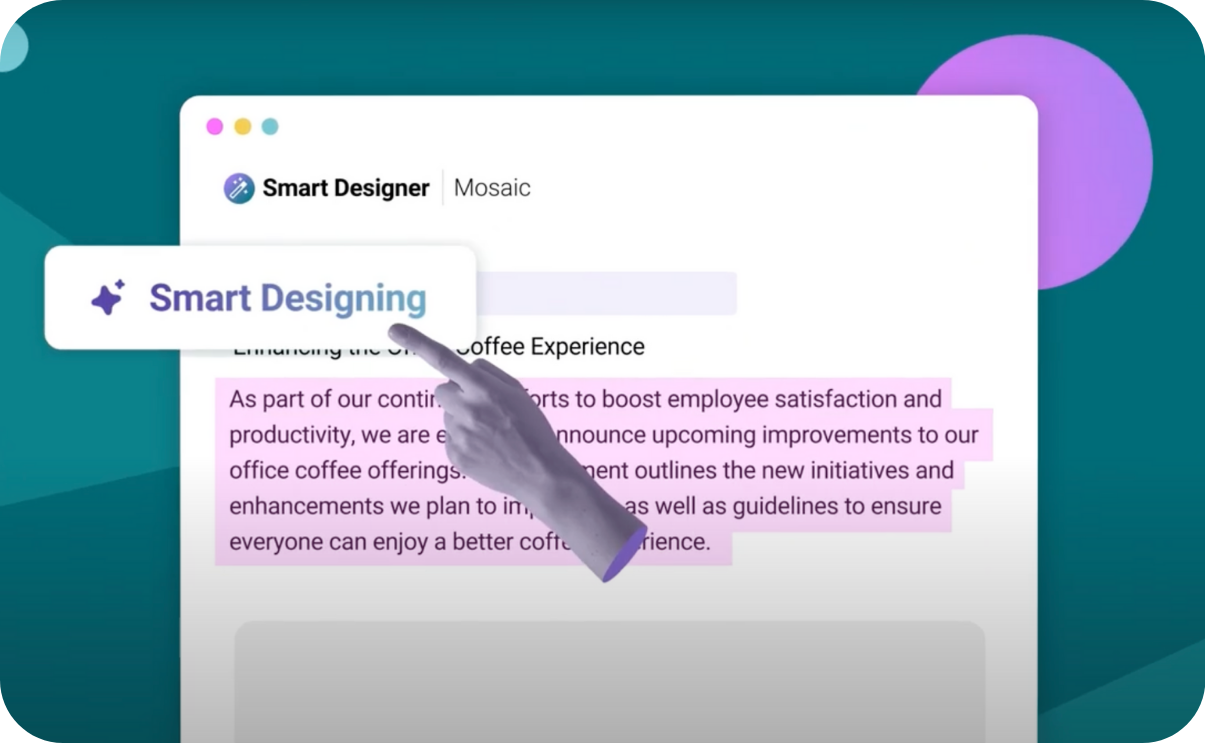
Smart Designer
Turn basic text into polished, visually stunning content in seconds, no design experience or copy-pasting needed.
EASY CONTENT MANAGEMENT
Take control of your Confluence content
Looking for a way to build and edit content at scale?
While Refined doesn't offer content management tools, Mosaic's Space Manager lets you view, create, manage, and delete in bulk.
Add hundreds of pages, apply templates, and design clear hierarchies, all from one central place. Save time and never build a space from scratch again.
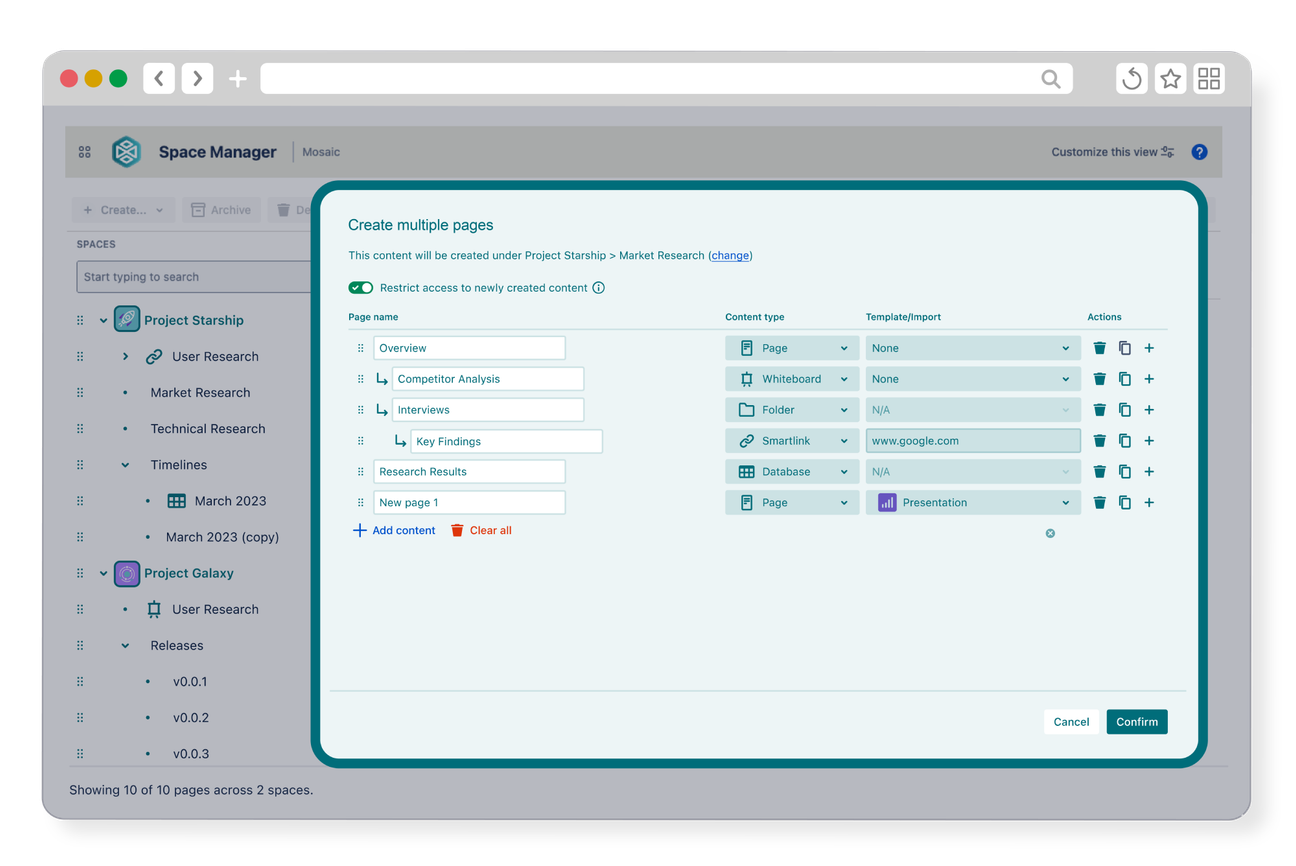
Space Manager included with Mosaic Advanced Edition
HTML, CSS & JAVASCRIPT
Build custom, dynamic pages
Unlike Refined, Mosaic includes an HTML macro, letting you create whatever you dream of. Mosaic’s macro runs HTML, CSS, and JavaScript in a controlled, isolated environment, blocking unsafe scripts and behaviours as standard.
You can even import your own code or get started quickly with an extensive built-in library of presets, making custom creation faster than ever. Create interactive, flexible content the way you imagine it... all while keeping your data safe.
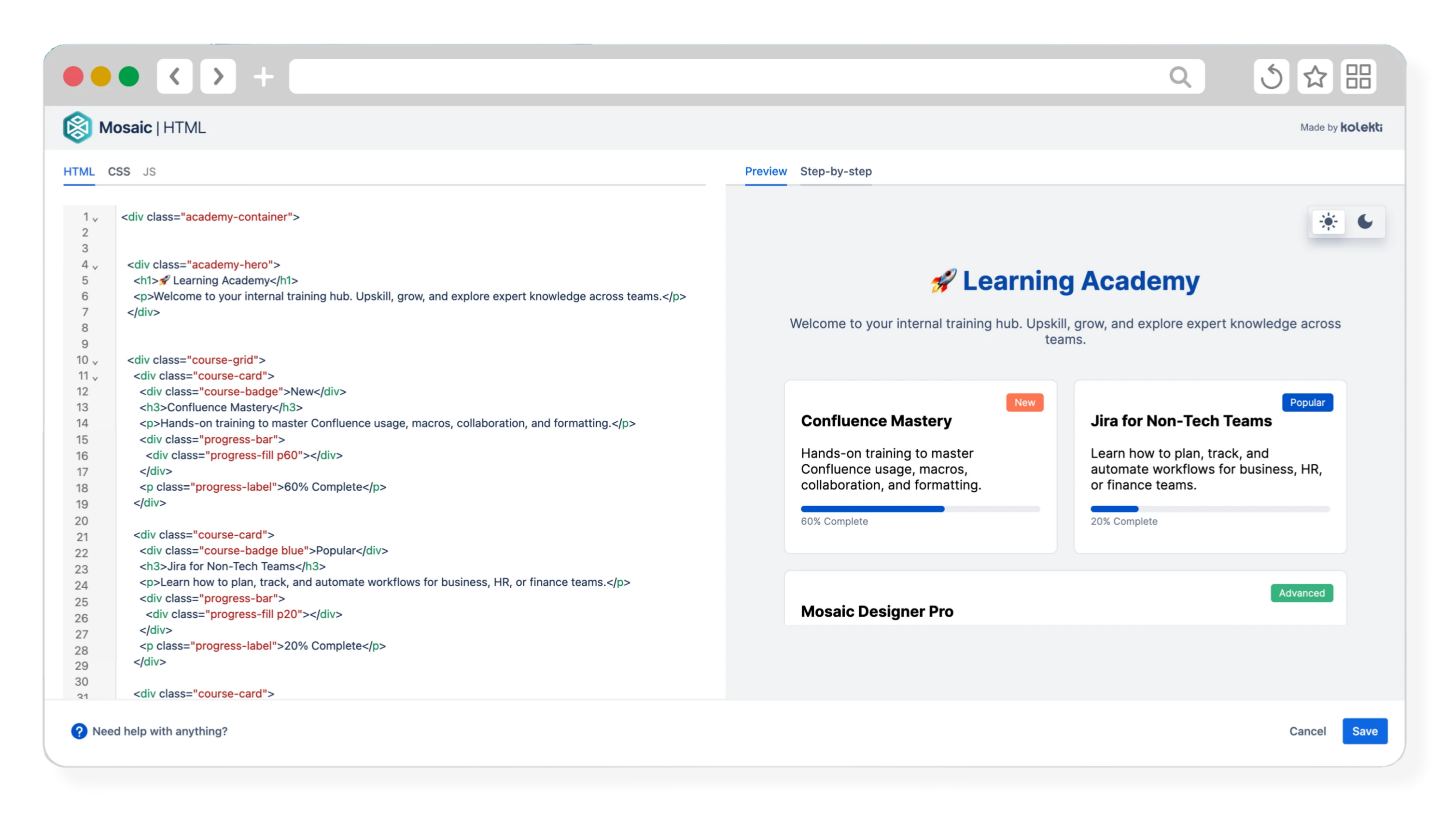
JavaScript support included with Mosaic Advanced Edition
UNRIVALLED SECURITY
Platinum security and support
Both Refined and Kolekti are Platinum Atlassian Partner certified. This demonstrates both apps' ongoing commitment to providing you with the best service and keeping your data safe.
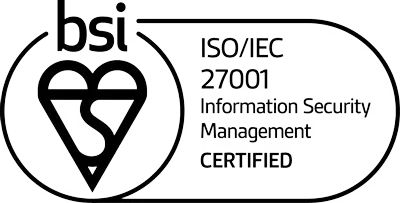
Mosaic’s security goes even further. Mosaic is built on Forge, Atlassian's own platform, making it secure by design. We're also ISO 27001 and SOC 2 certified, meaning you know you can rely on us.

Mosaic – designed for every team
Whether you need simple but powerful design tools, advanced branding and data control, or FedRAMP-compliant content creation, Mosaic has the app for you:
Mosaic Standard Edition
Essential for small teams who want professional, engaging pages without the effort.
Mosaic Advanced Edition
For enterprises that need precision, compliance, and a flawless brand experience.

Mosaic for Atlassian Government Cloud
For government agencies that need FedRAMP-compliant formatting.
Get hands on with Mosaic today
What Mosaic's users have to say:
I use the built-in templates quite a bit because I find they really help me start pages quickly, and they are easy to edit. We can also mix Mosaic elements with other Confluence macros, which gives us flexibility to organise content exactly how we need it.
Živa Ramic
Our work involves detailing complex network configurations and security protocols, and presenting this information clearly has been challenging. The macros helped us organise dense technical articles into a self explanatory and easy to follow format. We have found the branding tools and templates useful for maintaining a consistent look across our client facing resources.
George Legault
I've been using the smart designer feature that lets me swap out text sections with better formatted elements, I find it very useful for making the pages more intuitive and pretty. I also use the templates it comes with, especially for OKRs and FAQs, really help keep everything uniform across the spaces.
Stefan Zweig
What's the verdict?
For organisations that want:
- An all-in-one solution without the complexity of additional apps
- Design tools that work with existing Confluence pages and macros
- The freedom to create content with HTML, CSS, and JavaScript
- Unrivalled app security
- The ability to save time with bulk page creation and management
Mosaic is the only solution you need.

Get a guided tour of Mosaic's features
Book a demo with us and get a tailored look at how Mosaic can transform your organisation's Confluence content.